UPLC Column Care Guide: Essential Maintenance, Troubleshooting, and Longevity Tips for Pharmaceutical Researchers
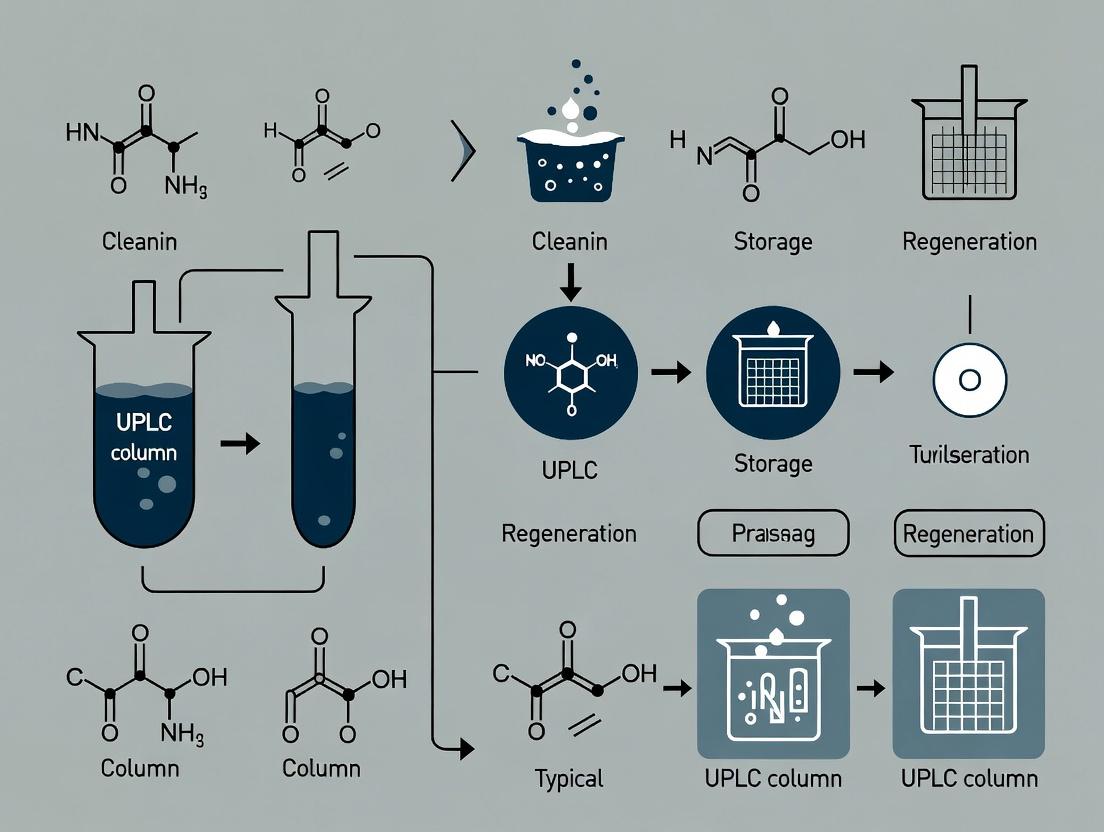
This comprehensive guide provides pharmaceutical researchers and analytical scientists with a complete framework for UPLC column care and maintenance.
UPLC Column Care Guide: Essential Maintenance, Troubleshooting, and Longevity Tips for Pharmaceutical Researchers
Abstract
This comprehensive guide provides pharmaceutical researchers and analytical scientists with a complete framework for UPLC column care and maintenance. It covers foundational knowledge of UPLC column chemistry and failure modes, outlines practical daily and weekly maintenance protocols, presents a systematic troubleshooting guide for common issues like pressure spikes and peak deformation, and offers advanced strategies for performance validation and column comparison to ensure method robustness. By implementing these best practices, labs can significantly extend column lifetime, ensure data integrity, and reduce operational costs in drug development.
Understanding UPLC Column Chemistry and Common Failure Modes: The Science Behind Longevity
Troubleshooting Guides
Issue: Elevated Backpressure
Q: My UPLC column backpressure has suddenly increased. What are the primary hardware-related causes? A: A sudden increase in backpressure is often linked to blockages in the system's flow path.
- Clogged Inlet Frit: The most common cause. Particulates from samples or mobile phase accumulate.
- Column Hardware Damage: Dented or misshapen end fittings can disrupt flow.
- Tubing Obstructions: Blockages or kinks in connecting capillaries.
Diagnostic Protocol:
- Disconnect the column and connect the inlet and outlet tubing directly with a union.
- Run the method. Record the system pressure (P_system).
- Reconnect the column and run the method again. Record the total pressure (P_total).
- Calculate column pressure: P_column = P_total - P_system.
- Compare P_column to the typical pressure for a new column. If it's >50% higher, the inlet frit is likely clogged. Reverse-flush the column according to manufacturer instructions. If pressure remains high, the column hardware or stationary phase bed may be compromised.
Issue: Peak Tailing/Broadening
Q: I am observing significant peak tailing. Could this be related to column hardware degradation? A: Yes. While peak shape issues often relate to chemistry (e.g., secondary interactions, contaminated phase), hardware failure can contribute.
- Void Formation at Column Inlet: Caused by settling or erosion of the stationary phase bed, often due to pressure shocks or improper pH use.
- Damaged Outlet Frit: A compromised frit can cause channeling within the bed, leading to band broadening.
Diagnostic Protocol:
- Perform a van Deemter plot experiment. Measure plate height (HETP) and asymmetry factor (As) at 3 different flow rates (e.g., 0.2, 0.5, 1.0 mL/min for 2.1mm ID column) using a well-retained, inert test compound (e.g., alkylphenone).
- Compare HETP and As values to the column's certificate of analysis or historical data. A significant increase (>20%) in HETP or As indicates loss of efficiency.
- If the issue is primarily at the column inlet, cutting off a small portion (e.g., 5mm) of the inlet end and replacing the fitting/frit (if possible) may temporarily restore performance.
Frequently Asked Questions (FAQs)
Q: How often should I replace the inline filter (guard column or frit) before my UPLC column? A: Monitor system pressure. Replace the guard device when the system pressure increases by 10-15% compared to the pressure of a new guard installed with the same method. Proactively, replace it after 50-100 injections for crude samples, or 200-500 injections for clean samples.
Q: Can I use a column with stainless-steel hardware for all my methods, including those with chloride ions? A: No. For mobile phases containing halides (e.g., chloride) or at low pH (<2), you must use columns with bio-inert or PEEK-lined hardware to prevent corrosion of stainless steel, which can leach metals and cause peak tailing for chelating analytes.
Q: What is the purpose of the different pore sizes in frits (e.g., 0.2µm vs 2µm)? A: The frit pore size must be smaller than the particle size of the stationary phase to retain the packing material.
- 0.2µm Frit: Standard for sub-2µm particle columns. Provides maximum particle retention.
- 2µm Frit: Sometimes used for 3-5µm particle columns. Less prone to clogging from very fine particulates.
Table 1: Common Stationary Phase Chemistries and Their Key Properties
| Chemistry | Abbreviation | Typical Phase Type | pH Range (Standard Hardware) | pH Range (Bio-inert) | Primary Application |
|---|---|---|---|---|---|
| Octadecyl | C18 | Reversed-Phase | 2-9 | 1-12 | Broad-purpose, non-polar analytes |
| Octyl | C8 | Reversed-Phase | 2-9 | 1-12 | Mid-polarity analytes, proteins |
| Phenyl | Phenyl | Reversed-Phase | 2-8 | 1-10 | Aromatic selectivity, shape recognition |
| Hydrophilic Interaction | HILIC | Normal Phase | 2-8 | 1-10 | Polar analytes, carbohydrates |
| Ion Exchange | SAX, SCX | Ion Exchange | 2-8 | 1-10 | Charged molecules, nucleotides |
Table 2: UPLC Column Hardware Materials Comparison
| Material | Corrosion Resistance | Pressure Limit | Chemical Compatibility Notes | Typical Use Case |
|---|---|---|---|---|
| 316 Stainless Steel | Low (prone to Cl- corrosion) | Very High (>1000 bar) | Avoid halides, low pH | Standard methods w/ phosphate buffers, neutral pH |
| PEEK-Lined Stainless | High (inert liner) | High (~800 bar) | Full pH range (1-14), halides ok | Bio-pharmaceuticals, LC-MS with TFA, ion-pairing |
| Titanium | Very High | Very High (>1000 bar) | Excellent for halides, acids | Long-term use with harsh mobile phases |
Experimental Protocol: Assessing Column Health and Performance
Objective: To quantitatively measure changes in column efficiency (HETP), asymmetry, and retention over its lifetime as part of a maintenance study.
Materials: UPLC system, test column, reference column (same lot if possible), mobile phase (e.g., 70/30 ACN/Water), test analyte (e.g., uracil for t0, alkylphenone series).
Method:
- Equilibrate column at standard flow rate (e.g., 0.5 mL/min) for 10 column volumes.
- Inject a low-dispersion, low-volume (e.g., 1 µL) plug of the test mixture.
- Run an isocratic method. Record the chromatogram.
- For each peak, calculate:
- Retention Factor (k): (tR - t0) / t0
- Theoretical Plates (N): N = 5.54 * (tR / wh)^2, where wh is peak width at half height.
- Asymmetry Factor (As): As = b / a, where a and b are the distances from the peak front and tail to the vertical line at the peak maximum at 10% peak height.
- Plot HETP (H = L / N, where L is column length) vs. linear velocity to generate a van Deemter curve.
- Compare values to the column's initial performance certificate. A >20% increase in HETP or a shift in As outside 0.9-1.2 indicates degradation.
Column Selection and Maintenance Workflow
The Scientist's Toolkit: Essential UPLC Column Care Materials
| Item | Function in Maintenance |
|---|---|
| In-Line Filter (0.2µm) | Placed before column to trap particulates, protecting the expensive column frit. |
| Guard Column (matching chemistry) | Contains a short bed of similar packing; sacrifices itself to retain irreversibly adsorbed sample components. |
| Frit Replacement Kit | Allows user to replace clogged inlet frits on some column models, extending column life. |
| Sealing Wash Solvent (e.g., 10% IPA) | Used in system seals wash line to prevent buffer crystallization and wear. |
| Column Storage Solution (e.g., 80% ACN) | Prevents microbial growth and maintains phase stability when column is not in use. |
| Test Mix Solution | Contains well-characterized analytes for periodic monitoring of column efficiency and peak shape. |
| PEEK Tubing & Unions | For creating low-dead-volume connections and bypass lines during system pressure diagnostics. |
Troubleshooting Guides and FAQs
Q1: My UPLC column backpressure is increasing steadily over time. Which degradation pathway is the most likely culprit, and how can I confirm it?
A: A steady increase in backpressure is most commonly linked to mechanical stress leading to bed compression or channeling, or chemical degradation causing particulate buildup. To diagnose:
- Check for Bed Compression: Reverse the column (if recommended by manufacturer) and run a standard test mix. If pressure drops significantly initially, then rises again, it suggests inlet frit blockage or bed settlement.
- Check for Chemical Buildup: Perform a system pressure test without the column installed to rule out the instrument. Then, flush the column according to the manufacturer's guidelines for removing retained particulates (e.g., flush with 20 column volumes of a strong solvent like DMSO or THF, followed by re-equilibration).
- Microscopic Inspection: If possible, examine the inlet frit under a microscope for particulate matter or signs of erosion.
Q2: I observe peak splitting and broadening. Could thermal stress during method development be a factor, and how do I test for it?
A: Yes, inconsistent column temperature or exposure to excessive heat can cause stationary phase degradation or bed disruption, leading to peak shape issues. To test:
- Temperature Gradient Test: Run a simple isocratic method with a neutral test compound at a series of temperatures (e.g., 30°C, 40°C, 50°C, 60°C). Plot plate number (N) vs. temperature. A sudden drop in efficiency at higher temperatures indicates thermal degradation of the phase.
- Monitor Retention Time Stability: Under isocratic conditions, a consistent drift in retention time of early eluting, non-retained compounds can indicate changes in column volume or phase collapse due to thermal stress.
Q3: My method uses a pH 2.5 mobile phase. How can I tell if my C18 column is undergoing acid-catalyzed hydrolysis (chemical stress) versus normal wear?
A: Acid hydrolysis of silica-based bonded phases leads to loss of surface coverage (C18 ligands), increasing silanol activity. Differentiate using the following test mix and protocol:
Experimental Protocol: Hydrolysis Test
- Prepare Test Mix: Dissolve uracil (void marker), toluene (hydrophobicity marker), and N,N-diethyl-m-toluamide (DEET, silanol activity marker) in your starting mobile phase.
- Chromatographic Conditions:
- Mobile Phase: 60:40 Acetonitrile: 20mM Potassium Phosphate buffer, pH 7.0.
- Flow Rate: As per column dimensions (e.g., 0.5 mL/min for 2.1mm ID).
- Temperature: 25°C.
- Detection: UV at 254 nm.
- Procedure: Inject the test mix on a new reference column and record the retention factors (k) for toluene and DEET, and the asymmetry factor for DEET. Repeat this test periodically (e.g., every 50-100 injections) on your in-use column running the low-pH method.
- Diagnosis: Compare data to the reference. A significant increase in the retention of DEET (k DEET) and a worsening of its peak asymmetry, relative to the stable retention of toluene (k Toluene), is a clear indicator of increased silanol activity due to chemical hydrolysis. Simple wear typically shows a gradual loss of retention for all compounds.
| Primary Stressor | Key Symptom | Confirmatory Diagnostic Test | Typical Quantitative Change |
|---|---|---|---|
| Chemical (Hydrolysis, Oxidation) | Loss of hydrophobic retention, peak tailing (basic compounds), increased phase collapse. | Neutral pH Test Mix (e.g., toluene/DEET). Compare k' and As of DEET vs. new column. | >10% increase in DEET retention factor (k'); >20% increase in tailing factor (As). |
| Thermal (Excessive/ Cycling) | Peak splitting, broadening, retention time drift. | Isocratic Efficiency vs. Temperature. Plot plate number (N) across a temperature range. | >15% drop in plate number (N) at elevated vs. recommended temp. |
| Mechanical (Pressure Shock, Vibration) | High/fluctuating backpressure, sudden loss of efficiency. | Pressure Test (system vs. column), Visual Frit Inspection, Column Reversal Test. | System pressure without column < 10% of total pressure; reversal causes temporary >50% pressure drop. |
Essential Experimental Protocol: Column Lifespan Stress Test
Objective: To systematically evaluate and compare the resilience of different UPLC column chemistries to combined stresses.
Methodology:
- Conditioning: Condition new columns (e.g., C18, Shield RP18, Phenyl) with 20 column volumes of the aggressive mobile phase (e.g., 50:50 Acetonitrile: 20mM Phosphate Buffer, pH 2.5).
- Baseline Characterization: Run the Neutral Test Mix (uracil, toluene, DEET) under neutral pH conditions (pH 7.0 phosphate buffer/ACN). Record k', plate number (N), and asymmetry (As) for key peaks. This is the "Time Zero" data.
- Stress Cycle: For n cycles (e.g., 100 cycles):
- Expose column to the aggressive mobile phase (pH 2.5) at 40°C for 30 minutes.
- Perform a rapid thermal cycle: Cool to 15°C, then heat to 50°C over 10 minutes.
- Apply a pressure pulse: Increase flow rate to 150% of maximum rating for 1 minute.
- Periodic Testing: After every 20 stress cycles, re-run the Baseline Characterization under identical neutral conditions.
- Data Analysis: Plot k', N, and As for each analyte vs. cycle number. The slope of the degradation indicates column stability.
The Scientist's Toolkit: Key Research Reagent Solutions
| Item | Function in Column Stress Studies |
|---|---|
| Neutral Test Probe Mix (Uracil, Toluene, DEET) | Diagnoses chemical degradation (hydrolysis) by monitoring hydrophobic retention (toluene) and silanol activity (DEET) independently. |
| High-Purity Buffering Salts (e.g., KH₂PO₄) | Essential for preparing precise, particulate-free mobile phases to avoid chemical and mechanical stress from pH extremes or buffer precipitation. |
| Sealed Vial/Amber Glassware | Prevents oxidation of mobile phases (especially at high pH) and evaporation, ensuring consistent chemical stress conditions. |
| In-line 0.1µm or 0.2µm Solvent Filters | Protects column frits from particulate buildup, isolating mechanical stress to intended experiments. |
| Certified High-Pressure Capillary Tubing & Fittings | Minimizes extra-column volume and prevents leaks that cause pressure surges (mechanical stress) and oxidation (chemical stress). |
| Column Heater with Precise Temperature Control (±0.5°C) | Ensures consistent thermal environment and enables controlled thermal stress experiments. |
| Backpressure Monitor/Data Logger | Continuously records pressure to identify and correlate pressure events (mechanical stress) with performance decline. |
Diagnostic Workflow for Column Degradation
UPLC Column Stress Pathways and Effects
Technical Support Center: UPLC Column Care & Maintenance
Context: This support center provides targeted troubleshooting for issues arising from suboptimal Ultra-High Performance Liquid Chromatography (UPLC) column care, framed within our research on maintenance best practices. Neglect directly compromises data integrity, method reproducibility, and laboratory operational costs.
Troubleshooting Guides & FAQs
FAQ 1: Why have my compound retention times started to shift inconsistently?
Answer: Gradual retention time shifts (typically a decrease) often indicate column degradation due to contamination buildup or phase damage. Sudden, large shifts may suggest a void has formed at the column inlet. This compromises method transferability and requires longer system equilibration times, wasting solvent and instrument time.
- Troubleshooting Protocol:
- Check System: Ensure LC system is leak-free and delivering accurate gradients/pressures.
- Perform Blank Injection: Inject a mobile phase blank. Peaks in the blank run confirm carryover or contamination from the system or column.
- Evaluate Column Efficiency: Inject a manufacturer-recommended test mix (e.g., for C18 columns: uracil, alkyl phenones). Calculate plate count (N) and asymmetry factor (T). Compare to the column's certificate of analysis or a baseline performance log.
- Diagnosis: A >20% drop in plate count or T factor outside 0.9-1.5 suggests column deterioration. If severe, proceed to cleaning.
FAQ 2: My peak broadening is increasing. Is my column failing?
Answer: Peak broadening is a primary symptom of reduced column efficiency. It directly lowers resolution, risking the co-elution of critical impurities and invalidating purity assays. The root cause is often poor column hygiene.
- Experimental Protocol for Diagnosis:
- Prepare Test Solution: A known standard at low concentration in mobile phase.
- Chromatographic Conditions: Use the method's standard flow rate and detection wavelength.
- Injection: Perform 5 replicate injections.
- Data Analysis: Calculate the average plate count (N) and peak asymmetry for the main analyte.
- Benchmarking: Compare results to the column's performance benchmark log. A consistent >15-20% reduction in N indicates significant column deterioration impacting data quality.
FAQ 3: How can I attempt to restore a declining column?
Answer: Restoration is not always possible, but targeted cleaning can extend life. The protocol depends on column chemistry.
- General Backflush Cleaning Protocol (For Reversed-Phase Columns):
WARNING: Always check column manufacturer's instructions. Do not exceed pressure limits.
- Disconnect the column from the detector.
- Reverse the column direction in the flow path.
- Flush at 50% of the maximum flow rate with:
- 20-30 column volumes of a strong solvent (e.g., 100% Acetonitrile or Isopropanol).
- 20-30 column volumes of a 50:50 water:strong solvent mix.
- 20-30 column volumes of 100% water.
- Re-evaluate performance using the test mix protocol above. If performance is not restored, the column is likely at end-of-life.
Table 1: Cost Analysis of Proactive Maintenance vs. Reactive Replacement
| Metric | Well-Maintained Column (Preventive Care) | Neglected Column (Reactive Replacement) | Impact |
|---|---|---|---|
| Typical Lifespan | 500-1000+ injections | 150-300 injections | 60-70% reduction |
| Downtime Cost | Scheduled, minimal | Unplanned, halts projects | High project delay risk |
| Solvent Waste | Standard method volume | Increased equilibration & cleaning | ~15-25% increase |
| Annual Column Budget | Predictable, lower | 2-3x higher, unpredictable | Budget overrun likely |
Table 2: Impact of Column Degradation on Key Method Parameters
| Performance Parameter | New Column Specification | Degraded Column (>20% efficiency loss) | Consequence for Data Quality |
|---|---|---|---|
| Theoretical Plates (N) | e.g., 25,000/m | < 20,000/m | Reduced resolution, peak overlap |
| Peak Asymmetry (T) | 0.9 - 1.2 | >1.5 or <0.8 | Tailing/fronting affects integration accuracy |
| Retention Time (RT) %RSD | < 0.5% | > 2.0% | Impairs peak identification & confirmation |
| Pressure | Baseline for method | > 15% increase | Risk of system shutdown |
Experimental Protocols from Cited Research
Protocol A: Establishing a Column Performance Benchmark Log Purpose: Create a baseline to objectively measure column degradation over time.
- Condition Column: Equilibrate new column with starting mobile phase for 30 mins.
- Prepare Test Mix: Dissolve certified analytes (e.g., Uracil, Acetophenone, Toluene) in mobile phase.
- Run Test Method: Use an isocratic method (e.g., 50:50 ACN:Water) at 0.5 mL/min, 25°C, UV detection at 254 nm.
- Triplicate Injection: Inject the test mix 3 times.
- Calculate & Record: For each analyte, calculate mean N, T, and retention time. Record this as the "Column Performance Certificate" in your lab's column logbook.
Protocol B: Accelerated Stress Test for Maintenance Evaluation Purpose: Compare the efficacy of different cleaning protocols in a controlled study.
- Column Contamination: Load multiple injections of a "dirty" sample matrix (e.g., extracted plasma, crude synthesis mixture) onto identical new columns until efficiency drops by 30%.
- Apply Interventions: Apply different cleaning protocols (e.g., backflush with solvent A, high-temperature wash, etc.) to each stressed column.
- Post-Clean Analysis: Run the benchmark test (Protocol A) on each column.
- Calculate Recovery: Determine the percentage recovery of initial plate count for each protocol. The protocol with the highest recovery rate is deemed most effective.
Visualizing the Impact of Neglect
Title: Column Neglect Cascades to Poor Data and High Cost
The Scientist's Toolkit: Research Reagent Solutions
Table 3: Essential Materials for UPLC Column Care & Diagnostics
| Item | Function & Rationale |
|---|---|
| Column Test Mix | A solution of well-characterized analytes (e.g., uracil, alkylphenones) used to measure column efficiency (plate count), asymmetry, and retention reproducibility against a known benchmark. |
| In-Line Filter (0.5µm) / Guard Column | A sacrificial cartridge placed before the analytical column to trap particulate matter and strongly retained compounds, protecting the more expensive main column. |
| LC-MS Grade Solvents | High-purity solvents (water, acetonitrile, methanol) minimize introduction of non-volatile residues that can foul column frits and stationary phase. |
| Needle Wash Solvent | A strong solvent (often with 5-10% stronger elution strength than mobile phase) in the autosampler to minimize carryover between injections. |
| Seal Wash Solvent | A compatible solvent (often 5-10% isopropanol in water) used to prevent buffer crystallization in the pump seals, extending seal life and preventing pressure issues. |
| Column Logbook (Digital/Physical) | A mandatory record tracking each column's history: use, samples injected, cleaning procedures, and performance test results for lifecycle management. |
Key Indicators of a Healthy vs. Failing UPLC Column
Troubleshooting Guide & FAQs
Q1: What are the primary signs of a healthy UPLC column in my chromatographic data? A: A healthy column produces consistent, predictable performance. Key indicators include:
- Stable Backpressure: Operates within the manufacturer's specified range and is consistent with the column's history.
- Theoretical Plates (N): Maintains or exceeds the manufacturer's minimum specification, indicating good efficiency.
- Peak Symmetry (As): Typically between 0.9 and 1.2 for most applications, indicating proper kinetics and no active sites.
- Retention Time (tR): Consistent and reproducible (RSD < 1%) for well-behaved analytes.
- Resolution (Rs): Maintains sufficient separation between critical peak pairs.
Q2: What chromatographic symptoms indicate my column is failing or has failed? A: Degradation manifests through gradual changes or sudden failures:
- Increasing Backpressure: A steady rise over time suggests particulate blockage or frit occlusion.
- Decreasing Plate Count: Peak broadening indicates loss of column efficiency.
- Peak Tailing or Fronting: Significant changes in asymmetry (As > 1.5 or < 0.8) suggest active sites or channeling.
- Shifting Retention Times: Significant, unpredictable drift indicates changes in the stationary phase.
- Loss of Resolution: Inability to separate previously resolved compounds.
- Ghost Peaks or Carryover: Peaks appearing in blank runs, suggesting contamination or phase stripping.
Q3: How can I systematically test my column's health? A: Implement a standardized diagnostic test mixture and protocol.
Experimental Protocol: Column Health Diagnostic Test
- Column Equilibration: Use the test mobile phase at the method's standard flow rate for 10-15 column volumes.
- Injection: Inject 1-5 µL of a test mixture containing neutral, basic, and acidic probes relevant to your method (e.g., uracil, alkylphenones, phenol).
- Chromatographic Conditions: Use a simple, isocratic or shallow gradient method (e.g., 5-95% organic over 10 mins) with a mobile phase compatible with the column (e.g., Acetonitrile/Water with 0.1% Formic Acid for C18).
- Data Analysis: Calculate key parameters (N, As, k, Rs) and compare against a benchmark from the column's first use or a system suitability standard.
Q4: What are the most common causes of premature column failure? A:
- Physical: Pressure shocks, voids formed from drying out.
- Chemical: Use of incompatible pH (outside silica stability range, typically pH 2-8), excessive temperature, strong solvents that dissolve the phase.
- Contamination: Accumulation of sample matrix components (proteins, lipids, etc.) or particulates that clog frits.
Q5: My backpressure is high but efficiency is still good. What should I do? A: This typically indicates a blockage at the column inlet (frit). Protocol for In-Place Frit Clearing:
- Reverse the column connection in the flow path.
- Flush at 50% of the maximum pressure limit (or 20% below max) with a strong solvent (e.g., 100% acetonitrile or methanol) for 30-60 minutes at a low flow rate (e.g., 0.2 mL/min).
- Return the column to its normal orientation and re-equilibrate. Do not reverse columns with irregular packing (e.g., HILIC).
Table 1: Key Parameter Comparison for Healthy vs. Failing UPLC Column (C18 Example)
| Performance Indicator | Healthy Column | Degrading Column | Failed Column |
|---|---|---|---|
| Pressure | Within ±10% of initial | 10-50% increase from initial | >50% increase or at system limit |
| Theoretical Plates (per 25cm) | >15,000 | 10,000 - 15,000 | <10,000 |
| Peak Asymmetry (As) | 0.9 - 1.2 | 1.2 - 1.8 (or <0.85) | >1.8 (or severe fronting) |
| Retention Factor (k) RSD | < 1% | 1% - 5% | >5% |
| Critical Resolution (Rs) | Maintains spec (e.g., >2.0) | Decreased by 10-30% | Lost resolution (Rs < 1.5) |
Table 2: Common Failure Modes & Diagnostic Triggers
| Observed Symptom | Likely Cause | Primary Diagnostic Check |
|---|---|---|
| Sudden pressure spike | Blocked inlet frit | Measure pressure with column reversed |
| Gradual pressure rise | Particulate buildup / Frit fouling | Inspect pre-column filter; perform frit clearing |
| Peak tailing (all compounds) | Active sites (silanol interactions) | Test with basic probe compound |
| Peak fronting | Column void / Channeling | Visual inspection of packing; efficiency test |
| Loss of retention | Stationary phase loss / Degradation | Test with hydrophobic probe compound |
| Ghost peaks | Contaminated stationary phase | Run a blank gradient after flushing |
Visualizing Column Degradation Pathways
Title: Pathways from Stressors to UPLC Column Failure
Title: UPLC Column Health Assessment & Decision Workflow
The Scientist's Toolkit: Research Reagent Solutions
Table 3: Essential Materials for UPLC Column Care & Diagnostics
| Item | Function & Purpose |
|---|---|
| Column Test Mix (e.g., USP, EP) | Contains specific probes (neutral, acidic, basic) to comprehensively evaluate column efficiency, asymmetry, and retention. |
| Pre-column In-line Filter (0.2 µm) | Protects column frits from particulate matter in samples and mobile phases. Essential for longevity. |
| Guard Column or VanGuard Cartridge | Contains identical stationary phase to trap contaminants and saturable sites, sacrificing a short cartridge to protect the expensive analytical column. |
| Mobile Phase Solvents (HPLC-grade+) | High-purity solvents (acetonitrile, methanol, water) with low UV absorbance and minimal particulates prevent baseline noise and contamination. |
| Appropriate Buffers & Additives | Volatile buffers (ammonium formate/acetate) or acids (formic, trifluoroacetic) for pH control. Must be filtered (0.22 µm) and compatible with column chemistry. |
| Strong Flush Solvents | Specific, column-compatible solvents (e.g., 90% Water/10% IPA for reversed-phase) for removing strongly retained contaminants during cleaning protocols. |
| Pressure Monitor & Data Logging Software | Enables tracking of pressure trends over time, providing the earliest indicator of potential physical issues. |
Proactive UPLC Maintenance Protocols: Daily, Weekly, and Long-Term Best Practices
Step-by-Step Startup and Shutdown Procedures to Prevent Damage
Technical Support Center
Troubleshooting Guides
Issue 1: Sudden High Backpressure on System Startup
- Q: After following the startup procedure, my UPLC system shows a backpressure reading 30-40% above the normal operational range. What should I do?
- A: This is typically caused by a mobile phase mismatch or a blockage. Immediately stop the flow. Check that your column compartment temperature is stabilized. Ensure the mobile phase used for storage is fully compatible with the initial running mobile phase. If the issue persists, follow the "Diagnosing and Clearing Inlet Frit Blockages" protocol below.
Issue 2: Peak Tailing or Splitting After Column Shutdown/Storage
- Q: My chromatographic peaks are broadened or show severe tailing following a routine shutdown and restart. System pressure is normal.
- A: This strongly indicates an issue with the column storage condition or an incomplete equilibration post-startup. Verify the column was stored in the correct solvent (consult manufacturer's certificate). Ensure the startup equilibration volume is sufficient; for 2.1mm ID columns, flush with at least 20 column volumes of starting mobile phase at a slow flow rate (0.2 mL/min) before ramping to method conditions.
Issue 3: Leaks at Column Inlet Fitting Upon Restart
- Q: When I start the pump flow after installing the column, I notice a small leak at the column inlet fitting. I have re-tightened it but the leak continues.
- A: Do not over-tighten. Stop the pump. This is often caused by a damaged ferrule or a mismatched fitting type (e.g., using a fitting designed for stainless steel on a PEEK-lined system). Replace both the ferrule and the fitting with a new, manufacturer-recommended kit. Refer to the "Proper Column Connection and Leak Prevention" protocol.
Frequently Asked Questions (FAQs)
Q: What is the single most critical step in the UPLC column shutdown procedure to prevent damage? A: The most critical step is thoroughly flushing the column with a manufacturer-approved storage solvent that is compatible with the stationary phase and the last mobile phase used. For reversed-phase C18 columns, this is typically a high percentage of weak solvent (e.g., >80% acetonitrile or methanol). This prevents biological growth and salt precipitation.
Q: How long should I equilibrate my column on system startup before injecting samples? A: Equilibration time is volume-dependent, not time-dependent. A minimum of 10-15 column volumes of the initial mobile phase is essential. For a 100mm x 2.1mm column (approx. 0.3mL volume), this is at least 3-4.5mL. Monitor pressure and baseline stability as better indicators of full equilibration.
Q: Can I store my column in 100% water to save on organic solvent costs? A: Absolutely not. Storing most reversed-phase columns in aqueous buffers or high-water content solvents is a primary cause of damage. It can lead to hydrolysis of the silica backbone (especially at neutral to high pH) and promote microbial growth, which can block frits and degrade performance.
Q: Should I remove the column from the system for long-term storage? A: Yes, for storage longer than 48 hours, it is best practice to remove the column, seal it with the provided plugs, and store it vertically in a column box at recommended temperature (often 4°C for long-term).
Data Presentation: Impact of Improper Shutdown on Column Lifespan
The following data, synthesized from recent manufacturer application notes and journal studies, quantifies the effect of storage conditions on column performance.
Table 1: Column Efficiency Loss (%) vs. Storage Condition and Time
| Storage Condition | 1 Week | 1 Month | 3 Months |
|---|---|---|---|
| Correct Solvent (e.g., 90% MeOH) | < 2% | 3-5% | 5-8% |
| High-pH Buffer (pH 9.5) | 8-12% | 30-40% | >60% (Failure) |
| High-salt Buffer (>100mM) | 5-10%* | 25-35%* | 50%+* (Failure) |
| Aqueous >80% Water | 3-7% | 15-25% | 40%+ |
Loss primarily due to salt crystallization and frit blockage. *Loss due to microbial growth and/or phase collapse.
Experimental Protocols
Protocol 1: Diagnosing and Clearing Inlet Frit Blockages
Methodology:
- Symptoms: High backpressure with normal system pressure when the column is bypassed.
- Reverse Flush Procedure: Disconnect the column and carefully note the flow direction. Reconnect the column in the reverse orientation to the system. Do not connect the outlet to the detector.
- Flush at 20% of the maximum column pressure or 50% of normal flow rate (whichever is lower) with a strong cleaning solvent (e.g., 100% acetonitrile for reversed-phase, or 10% acetic acid for protein precipitates) for 30-60 minutes, collecting waste.
- Return the column to its normal orientation and re-equilibrate. Monitor pressure and efficiency with a test mix.
Protocol 2: Proper Column Connection and Leak Prevention
Methodology:
- Inspect: Examine the column end fitting and the system tubing for scratches or debris.
- Hand-tighten: With the column in hand, screw the fitting onto the column end finger-tight. Do not use a wrench.
- Final Tighten: Place the column in the heater. Connect the tubing to the fitting. Using the appropriate wrench, give a final tighten of no more than 1/4 to 1/2 turn beyond hand-tight. Over-tightening can shear the ferrule and damage the column end.
Visualizations
Diagram: UPLC Column Startup Workflow
Diagram: Decision Tree for Shutdown Procedure
The Scientist's Toolkit: Essential Research Reagent Solutions
Table 2: Key Materials for UPLC Column Care & Maintenance
| Item | Function & Critical Specification |
|---|---|
| HPLC-Grade Organic Solvents (Acetonitrile, Methanol) | Primary mobile phase components and storage solvents. Low UV absorbance and particulate matter are critical. |
| HPLC-Grade Water (with 0.1% TFA or Formic Acid) | Aqueous mobile phase component. Must be 18.2 MΩ-cm resistivity, filtered (0.2 µm), and often acidified to inhibit microbial growth. |
| Column Storage Solvent (e.g., 90% MeOH/H₂O) | Manufacturer-specified solvent for long-term column preservation. Must be compatible with stationary phase chemistry. |
| Seal Wash Solvent | High-grade solvent (often 90/10 Water/MeOH or Isopropanol) for pump seal lubrication and prevention of buffer crystallization. |
| Needle Wash Solvent | Strong solvent (often matching sample diluent) to prevent carryover in the autosampler. |
| Test Mix Standard | A known mixture of compounds (e.g., USP Column Performance Test Mix) to validate column efficiency (plate count), asymmetry, and retention after startup. |
| Replacement Fitting & Ferrule Kit | Correct type (e.g., Stainless Steel, PEEK, Titanium) and size for your column and tubing to ensure zero-dead-volume, leak-free connections. |
| In-line Filter or Guard Column | Contains a replaceable 0.2 µm frit to protect the analytical column from particulate matter in samples and mobile phases. |
Within the context of UPLC column care and maintenance, the preparation and filtration of mobile phases is the foundational first line of defense. Impurities, particulates, and microbial growth in solvents directly contribute to column clogging, increased backpressure, baseline drift, and irreproducible retention times, ultimately compromising data integrity and column longevity. This technical support center addresses the most common issues encountered during mobile phase preparation.
Troubleshooting Guides & FAQs
Issue Category 1: High System Pressure & Clogging
Q1: My UPLC system pressure is consistently higher than normal after preparing a new batch of mobile phase. What should I check?
A: This typically indicates particulate contamination. Follow this protocol:
- Check the Filtration Step: Ensure you used the correct membrane type (e.g., 0.22 µm or 0.45 µm for aqueous phases). Verify the filter integrity was not compromised.
- Check Solvent Quality: Use only HPLC/UPLC-grade solvents. Check for precipitates in buffer solutions, especially with phosphate or acetate buffers.
- Experimental Protocol for Particulate Testing: Filter 500 mL of your suspect mobile phase through a pre-weighed 0.22 µm nylon membrane filter. Dry the filter in a desiccator and re-weigh. A weight increase >0.5 mg indicates excessive particulates.
- Flush the system with pure, filtered degassed solvent to clear any introduced particulates.
Q2: I see crystals forming in my buffer/organic mobile phase lines or mixer. What causes this?
A: This is usually due to buffer precipitation in high-organic conditions.
- Root Cause: Many buffers (e.g., phosphate, citrate) have limited solubility in organic solvents.
- Solution: Always mix the aqueous buffer and organic solvent before filtration. Never store or filter pure buffer solution and then mix with organic solvent online. Keep the organic percentage in any buffer/organic mixture below the buffer's solubility limit (typically <70% organic for phosphates).
Issue Category 2: Baseline Noise & Drift
Q3: My baseline shows excessive noise and drift, especially with UV detection at low wavelengths (<220 nm). What is the likely culprit?
A: This often points to UV-absorbing impurities or inadequate degassing.
- Degas Meticulously: Always degas mobile phases after mixing and filtration. Use sparging with helium for 10-15 minutes or online degassing. In-sonication is less effective for UPLC.
- Check Solvent Purity: Use UV-grade acetonitrile or methanol for low-wavelength work. Ensure additives (e.g., TFA, formic acid) are HPLC-grade. Compare baseline with a blank run of your mobile phase.
- Prevent Microbial Growth: For aqueous phases or buffers, prepare fresh weekly or store at 4°C. Do not add azide to mobile phases used with MS detection.
Q4: Why do I get a rising baseline gradient when running a gradient method?
A: This is frequently caused by a mismatch in UV absorbance between mobile phase A and B.
- Protocol for Diagnosis: Run a blank gradient (no injection) while monitoring the UV detector output. A smooth, reproducible rise indicates a mobile phase absorbance mismatch.
- Solution: Use the same brand and grade of solvent and additives for both channels. For high-sensitivity work, use "gradient grade" solvents specifically blended for matched UV absorbance.
Issue Category 3: Retention Time & Reproducibility Issues
Q5: My compound retention times are shifting unpredictably between runs. Could this be related to mobile phase preparation?
A: Yes. Inconsistent pH and buffer concentration are primary suspects.
- Standardization Protocol: Always measure the pH of the aqueous buffer component after all additives are dissolved and before mixing with the organic solvent. The pH in a mixed solvent is not reliable. Use a properly calibrated pH meter with aqueous buffer standards.
- Weigh, Don't Measure: Precisely weigh buffer salts to the nearest 0.1 mg. Do not use volumetric measurement for salts.
- Control Temperature: Mobile phase pH and viscosity are temperature-sensitive. Maintain consistent lab temperature or use a column heater.
Table 1: Mobile Phase Filtration Guidelines by Application
| Application / Phase Type | Recommended Membrane Material | Pore Size (µm) | Key Rationale |
|---|---|---|---|
| UPLC / HPLS MS (Aqueous) | Nylon, PVDF | 0.22 | Max particulate removal; low binding for most analytes. |
| UPLC / HPLC MS (Organic) | PTFE, PVDF | 0.22 | Compatible with all organics; low extractables. |
| Buffered Salts (e.g., Phosphate) | Nylon, PES | 0.45 (0.22 for UPLC) | High throughput; resistant to clogging from precipitates. |
| HPLC-UV/Vis (General) | Nylon, CA | 0.45 | Cost-effective for standard pressure systems. |
| Protein/Peptide Analysis | PVDF, PES | 0.22 | Very low protein binding. |
Table 2: Stability & Storage Recommendations for Common Mobile Phases
| Mobile Phase Composition | Recommended Storage | Maximum Shelf Life (at stated condition) | Primary Risk Factor |
|---|---|---|---|
| Water + Volatile Additives (FA, TFA) | Room Temperature, Sealed | 1 week | Microbial growth (aqueous). |
| Buffer + Organic Mix (<50% Org) | 4°C, Sealed | 1 week | Microbial growth, buffer precipitation. |
| Pure Organic Solvents (ACN, MeOH) | Room Temperature, Sealed | 1 month | Water absorption, evaporation. |
| Unbuffered Water/Organic Mixes | Room Temperature, Sealed | 3 days | Microbial growth, pH drift. |
| Phosphate Buffer (100% Aqueous) | 4°C, Sealed | 1 month | Microbial growth (add 0.02% azide if no MS). |
Experimental Workflow & Visualizations
Diagram 1: Mobile Phase Prep & Filtration Workflow for UPLC
Diagram 2: Troubleshooting Path for High Backpressure
The Scientist's Toolkit: Research Reagent Solutions
| Item | Function & Importance in Mobile Phase Prep |
|---|---|
| HPLC/UPLC-Grade Solvents | Minimizes UV absorbance background and particulate contamination. Essential for reproducibility and detector sensitivity. |
| High-Purity Buffer Salts (≥99.0%) | Reduces ionic contaminants that can interfere with separation or MS detection. |
| Volatile Additives (MS-Grade Formic Acid, TFA, Ammonium Acetate) | Provides ion-pairing or pH control while being compatible with mass spectrometer vacuum systems. |
| Type I (18.2 MΩ·cm) Laboratory Water | Ultrapure water free of ions, organics, and microorganisms. Critical for baseline stability and column health. |
| Appropriate Membrane Filters (0.22 µm Nylon, PVDF) | Removes particulates >0.22 µm that could clog UPLC frits or tubing. Choice of material prevents analyte binding/solvent incompatibility. |
| Calibrated pH Meter & Aqueous Buffers | Ensures accurate, reproducible pH adjustment of the aqueous buffer component before organic mixing. |
| Ultrasonic Bath or He Sparging Kit | Removes dissolved air to prevent bubble formation in pumps and detectors, reducing baseline noise. |
| Chemically Inert, Sealed Storage Bottles | Prevents evaporation, contamination, and atmospheric gas exchange (CO2 absorption alters pH). |
| Amber Glass Bottles | Protects UV-sensitive mobile phases (e.g., those containing chlorinated solvents or certain ion-pair reagents) from light degradation. |
Optimal Column Cleaning and Storage Protocols for Different Chemistries (e.g., C18, HILIC, Ion-Exchange)
Technical Support Center: Troubleshooting & FAQs
Q1: My C18 column backpressure is steadily increasing. What is the likely cause and how can I resolve it?
A: A steady increase in backpressure on a reversed-phase (C18) column typically indicates particulate clogging at the inlet frit or the buildup of strongly retained matrix components. First, check and replace the inline solvent filter and guard column if used. Perform a series of flushing steps: 1) Flush with 20 column volumes (CV) of water. 2) Flush with 20 CV of isopropyl alcohol (IPA) or acetonitrile (ACN). 3) Flush with 20 CV of your starting mobile phase. If pressure remains high, reverse-flush the column (detector-end to pump-end) with pure IPA or ACN at 50% of the normal flow rate for 30-60 minutes. Always consult your column manufacturer's instructions before reverse-flushing.
Q2: After storage, my HILIC column shows poor retention and peak shape. What protocol should I follow to restore it?
A: This is common if the column was stored in a high-organic solvent, allowing the aqueous layer to evaporate and the stationary phase to "dry out." Reactivate the column by sequentially flushing with: 1) 10 CV of 50:50 ACN:Water, 2) 10 CV of 90:10 ACN:Water, 3) 10 CV of 95:5 ACN:Water (or your starting mobile phase). For long-term storage of HILIC columns, use a 90:10 ACN:Water (with 5-10 mM buffer) mixture, seal both ends tightly, and store at controlled room temperature.
Q3: My ion-exchange column has developed a metallic odor and shows reduced capacity. What happened?
A: This suggests bacterial or microbial growth within the column, especially if stored in an aqueous, non-buffered, or non-bacteriostatic solution. To clean, flush with 20 CV of 0.5-1.0 M sodium chloride (NaCl) to remove biomass, followed by 20 CV of 20% ethanol or 0.02% sodium azide in storage buffer. For long-term storage, ion-exchange columns should be stored in a bacteriostatic solution (e.g., 20% ethanol or 0.02% sodium azide) in the appropriate buffer, with a high salt concentration (e.g., 0.5 M NaCl) to prevent protein binding.
Q4: I see double or ghost peaks on my C18 column. What cleaning procedure is recommended?
A: Ghost peaks often result from the buildup of contaminants from samples or mobile phases. Implement a rigorous cleaning-in-place (CIP) protocol. After equilibrating to 100% aqueous, flush with: 1) 20 CV of 0.1% Trifluoroacetic Acid (TFA) in water, 2) 20 CV of 0.1% TFA in IPA (or ACN), 3) 20 CV of IPA, 4) Return to storage solvent. For basic contaminants, use 20-50 mM ammonium acetate (pH ~4.5) as the aqueous wash instead of TFA. Regularly washing the column with a strong solvent like IPA weekly can prevent buildup.
Q5: What is the universal first step when any column performance degrades?
A: Before any aggressive cleaning, always disconnect the column and check the system backpressure to isolate the problem. Then, flush the column with 20-30 CV of a strong solvent appropriate for its chemistry (e.g., IPA for C18, water for HILIC, high-salt buffer for IEX). This often removes weakly bound contaminants and is the safest initial corrective action.
Table 1: Recommended Storage Solvents by Column Chemistry
| Column Chemistry | Short-Term Storage (< 1 Week) | Long-Term Storage (> 1 Week) | Critical Avoidance |
|---|---|---|---|
| Reversed-Phase (C18, C8) | 80:20 ACN/Water or MeOH/Water | ≥ 80% Organic (ACN or MeOH) | Buffers, especially phosphate, in high organic |
| HILIC | 90:10 ACN/Buffered Water (5-10 mM) | 90:10 ACN/Buffered Water (5-10 mM) | Pure ACN, Pure Water |
| Cation Exchange (SCX) | 20% EtOH in 100 mM Buffer + 0.5 M NaCl | 20% EtOH in 100 mM Buffer + 0.5 M NaCl | Deionized water only |
| Anion Exchange (SAX, WAX) | 20% EtOH in 100 mM Buffer + 0.5 M NaCl | 20% EtOH in 100 mM Buffer + 0.5 M NaCl | Deionized water only |
Table 2: Cleaning Solvent Recipes for Common Contaminants
| Contaminant Type | Recommended Cleaning Solvent | Volume (CV) | Notes |
|---|---|---|---|
| Hydrophobic (Lipids, Proteins) | 70:30 IPA/Water or 100% DCM* | 20-30 | *Check column compatibility with DCM |
| Polar/Matrix | 90:10 Water/ACN with 0.1% TFA | 20-30 | For RP columns |
| Strongly Ionic | 0.5 - 1.0 M NaCl or KCl in storage buffer | 20-30 | For IEX columns |
| Polymeric/Sticky | 0.1 M HNO3 or 0.1 M NaOH* | 10-15 | *Only for specified silica-based columns |
Detailed Experimental Protocols
Protocol 1: Standard Performance Restoration for a Reversed-Phase Column
- Disconnect: Remove the column from the UPLC system.
- System Check: Connect the union and measure system backpressure. Record.
- Reconnect: Reconnect the column (normal flow direction).
- Initial Flush: Flush with 30 CV of 90:10 Water:ACN at 50% max flow rate.
- Strong Wash: Flush with 30 CV of IPA at 25% max flow rate.
- Re-equilibration: Flush with 30 CV of 90:10 ACN:Water, then 30 CV of starting mobile phase.
- Test: Run a standard test mixture. Compare efficiency (N), asymmetry (As), and pressure to documented benchmark values.
Protocol 2: Preventive Cleaning Cycle for HILIC Columns (Weekly)
- Post-Run Equilibration: After final analytical run, flush with 20 CV of 90:10 ACN: 5 mM Ammonium Acetate (pH 5.0).
- Water Wash: Flush with 15 CV of 5 mM Ammonium Acetate in Water (no organic).
- Organic Wash: Flush with 15 CV of pure ACN.
- Storage: Flush with 10 CV of 90:10 ACN: 5 mM Ammonium Acetate (pH 5.0). Seal and store.
Protocol 3: Capacity Recovery for an Ion-Exchange Column
- Strip: Flush with 20 CV of 2.0 M NaCl in standard buffer at 75% operational flow rate.
- Acid Wash: Flush with 10 CV of 0.1 M Sodium Citrate, pH 3.0 (for SAX) or 0.1 M Sodium Acetate, pH 5.0 (for SCX).
- Base Wash: Flush with 10 CV of 0.1 M Tris-HCl + 1.0 M NaCl, pH 8.5 (for SAX) or 0.1 M NaOH* (for SCX, *if compatible).
- Re-equilibrate: Flush with 30 CV of standard starting buffer.
- Test: Inject a standard protein or peptide mixture and measure binding capacity vs. new column.
Column Care Decision Pathway
Column Care Troubleshooting Decision Tree
The Scientist's Toolkit: Essential Reagents for Column Maintenance
Table 3: Key Research Reagent Solutions for UPLC Column Care
| Reagent/Material | Function in Maintenance | Primary Use Case |
|---|---|---|
| Isopropyl Alcohol (IPA), HPLC Grade | Strong solvent to dissolve hydrophobic contaminants and remove buffers. | Primary cleaning solvent for reversed-phase columns. |
| Acetonitrile (ACN), HPLC Grade | Primary organic mobile phase component; used for storage and cleaning. | Storage solvent for RP & HILIC; general washing. |
| Ammonium Acetate Buffer (e.g., 5-50 mM) | Volatile buffer for mobile phase pH control; prevents salt crystallization. | Preferred buffer for HILIC and RP-MS methods; storage. |
| Sodium Chloride (NaCl), 0.5-2.0 M Solutions | High-ionic-strength solution to displace bound ions/biomolecules. | Cleaning and storage of ion-exchange columns. |
| Trifluoroacetic Acid (TFA), 0.1% v/v | Ion-pairing agent and strong acid to clean charged/hydrophobic residues. | Cleaning protocol for reversed-phase columns. |
| Phosphoric Acid / Sodium Hydroxide (0.1%) | Aggressive cleaning agents for specific, robust column chemistries. | Removal of extreme contaminants (verify compatibility). |
| In-Line Filter (0.5 µm) & Guard Column | Traps particulates and sacrifices itself to protect the analytical column. | Used on all systems before the column; replaced regularly. |
| Column End Seals/Plugs | Prevents stationary phase from drying out and excludes contaminants. | Applied to both ends of column during storage. |
Within the broader thesis of UPLC column care and maintenance best practices, this technical support center addresses practical challenges in protecting analytical systems.
Troubleshooting Guides & FAQs
Q1: My system pressure is increasing rapidly after installing a guard column. What is the most likely cause and how do I resolve it? A: The most likely cause is improper installation or a clogged guard cartridge. First, verify the guard column is compatible (e.g., matching particle size) and correctly installed per the manufacturer's torque specifications. If pressure remains high, replace the guard cartridge. As a preventative measure, always use a 0.2 µm in-line filter between the autosampler and the guard column.
Q2: I am seeing peak broadening and loss of resolution. Could my guard column be contributing to this? A: Yes. Excessive extra-column volume from a guard column with a larger bed volume than the analytical column or one packed with a different particle size can cause band broadening. Ensure the guard column dimensions and particle size match your analytical column. Refer to Table 1 for performance impact data.
Q3: How often should I replace my guard column and in-line filter? A: Replacement is symptom-based, not schedule-based. Monitor system pressure and peak shape. A sustained pressure increase of 10-15% over baseline or a decrease in plate count indicates guard cartridge exhaustion. In-line filters should be replaced when pressure rises. For dirty samples (e.g., biological matrices), a guard cartridge may last 50-100 injections; for cleaner samples, 200-500 injections.
Q4: Can I regenerate or clean a used guard cartridge? A: Generally, no. Guard cartridges are considered disposable consumables. Attempting to clean them can displace packing material or introduce contaminants. The cost-benefit analysis favors replacement over the risk of column damage and lost instrument time.
Q5: Are there sample types where guard columns and in-line filters are not recommended? A: They are recommended for nearly all UPLC applications. The primary exception is for samples known to be exceptionally clean (e.g., some standard solutions). However, given the high cost of UPLC columns, the minimal cost of protection is almost always justified.
Experimental Data & Protocols
Table 1: Impact of Guard Column on Column Performance and Lifetime
| Condition | Column Efficiency (Plates/m) | Pressure at 0.5 mL/min (psi) | Column Lifetime (Injections of crude extract) | Estimated Cost/Sample* |
|---|---|---|---|---|
| No Guard/Filter | 220,000 (initial) | 8500 | ~150 | $1.33 |
| With Guard & Filter | 218,500 (initial) | 8900 | >500 | $0.52 |
*Costs include prorated column and consumable costs over the injection count.
Protocol: Method for Evaluating Guard Column Efficacy
Objective: Quantify the protective effect of a guard column on an analytical column's lifetime. Materials: UPLC system, analytical column (e.g., C18, 2.1 x 100mm, 1.7µm), matching guard cartridge, in-line filter (0.2µm), test mixture (e.g., USP tailing mix), "dirty" sample (e.g., protein precipitate from plasma). Method:
- Install a new analytical column with a new in-line filter and guard column.
- Establish a performance baseline: Run the test mixture at method conditions. Record pressure, plate count (N), and peak asymmetry (As).
- Stress Phase: Inject 5-µL of the "dirty" sample matrix 10 times consecutively.
- Check Phase: Inject the test mixture. Record pressure, N, and As.
- Repeat steps 3-4 in cycles until performance criteria fail (e.g., N drops by >15% or As >2.0).
- Replace only the guard cartridge. Repeat the check phase.
- If performance is restored, the guard column protected the analytical column. Note the number of stress cycles survived.
Workflow Diagram
Title: UPLC Flow Path with Protective Elements
The Scientist's Toolkit: Research Reagent Solutions
| Item | Function in Guarding Strategy |
|---|---|
| UPLC Guard Cartridge | Small, disposable column containing the same packing as the analytical column. It acts as a sacrificial media, retaining irreversibly adsorbed compounds and particulates. |
| Guard Column Holder | A reusable hardware module that houses the disposable guard cartridge. It must be torqued correctly to minimize dead volume. |
| In-Line Filter (0.2 µm) | A stainless-steel frit installed upstream of the guard column. It removes particulate matter that could clog column frits. |
| Pre-column Filter (Syringe Tip) | A disposable, low-cost filter (0.2 µm PVDF or nylon) used during sample vial preparation to remove particulates before injection. |
| Needle Wash Solvent | A strong solvent (e.g., high organic or isocratic wash) used in the autosampler to flush the needle and injection loop, preventing carryover of sticky compounds. |
| Vial Inserts with Polymer Feet | Reduce the chance of pulling settled particulates from the bottom of a sample vial into the injection syringe. |
Creating and Enforcing a Standard Operating Procedure (SOP) for Your Lab
Within the broader context of UPLC column care and maintenance best practices, a robust SOP is the cornerstone of reproducible science. This technical support center provides targeted troubleshooting for common UPLC column issues, framed as essential lab SOP enforcement.
Troubleshooting Guides & FAQs
Q1: My method pressure is significantly higher than the historical baseline. What should I do? A: High pressure indicates a flow path obstruction, commonly at the column inlet frit. First, check and replace the in-line filter (0.5 µm) and guard column, if used. If pressure remains high, follow the Column Cleaning Protocol below. If unresolved, the column may be irreversibly fouled.
Q2: I am observing peak splitting/tailing. Could this be column-related? A: Yes. This often indicates a void or channeling in the column bed. First, ensure your mobile phase and sample solvent are compatible. If the issue persists, assess column performance using a test mixture. Compare to the performance criteria table below. Peak tailing can also indicate active sites; for reversed-phase columns, try silanol masking with 0.1% trifluoroacetic acid.
Q3: How do I properly store my C18 column for the weekend or longer? A: SOP Mandate: Never store in water or aqueous buffers. For short-term (weekend): Flush with 20 column volumes (CV) of water, then 20 CV of acetonitrile or methanol. Seal tightly. For long-term (>48 hours): Store in ≥80% organic solvent (acetonitrile preferred). Cap both ends.
Q4: My peaks have shifted retention time. Is the column failing? A: Not necessarily. First, verify system equilibration. After mobile phase change, flush with 20-30 CV of new mobile phase before analysis. Check for mobile phase pH or composition errors, and temperature fluctuations (±2°C can cause shifts). Perform a column performance test (see protocol).
Table 1: UPLC Column Performance Diagnostic Criteria (Test Mix for C18)
| Parameter | Acceptance Criterion | Action Threshold |
|---|---|---|
| Plate Count (N) | >15,000 per 15 cm column | <12,000 (30% loss from new) |
| Tailing Factor (Tf) | 0.9 - 1.2 | >1.5 |
| %RSD Retention Time | <0.5% | >2.0% |
| Pressure Change | <10% from baseline | >20% increase |
Table 2: Recommended Cleaning Solvents by Contaminant Type
| Contaminant Suspected | Flush Solvent Sequence (10-20 CV each) |
|---|---|
| Proteins/Lipids | Water → 50:50 Water:Acetonitrile → 90:10 Acetonitrile:Isopropanol |
| Strongly Retained Organics | Water → Methanol → Chloroform or Tetrahydrofuran* |
| Inorganic Buffers/Salts | Water (no buffer) → 5-10 CV of 5-100mM Ammonium Acetate in Water → Water |
*Check column phase compatibility.
Experimental Protocols
Protocol 1: Standardized Column Performance Test (C18 Reversed-Phase) Methodology: Prepare a test solution containing 0.1% v/v each of uracil (t0 marker), nitrobenzene, anthracene, and benzophenone in a suitable solvent (e.g., 70:30 methanol:water). Use a standardized method: Isocratic 70:30 Acetonitrile:Water, 0.5 mL/min, 25°C, detection at 254 nm. Inject 1 µL. Calculate plate count (N) for anthracene, tailing factor for benzophenone, and %RSD of retention time over 5 injections.
Protocol 2: Column Cleaning and Regeneration Methodology: Reverse the column if possible (do NOT reverse MS-labeled columns). Flush at 50% of the maximum recommended flow rate with the following sequence: 1) 20 CV of the solvent matching your last mobile phase. 2) 20 CV of water. 3) 20 CV of appropriate cleaning solvent from Table 2. 4) 20 CV of water. 5) 20 CV of storage solvent (high organic). Re-equilibrate with starting mobile phase for 30 CV before testing performance with Protocol 1.
Visualization: SOP Workflow for UPLC Column Use
UPLC Column Maintenance SOP Workflow
The Scientist's Toolkit: Research Reagent Solutions
Table 3: Essential Materials for UPLC Column Care & Testing
| Item | Function & SOP Relevance |
|---|---|
| 0.5 µm In-line Filter | Protects column from particulate matter; primary consumable for pressure issue troubleshooting. |
| Guard Column (matching phase) | Sacrificial barrier against irreversible contaminants; extends analytical column life. |
| Uracil, USP Grade | Unretained t₀ marker for calculating plate counts in performance tests. |
| Anthracene, HPLC Grade | Primary test analyte for evaluating column efficiency (plate count). |
| Benzophenone, HPLC Grade | Test analyte for assessing peak symmetry (tailing factor). |
| HPLC-grade Water & Solvents | Prevents column contamination from impurities; critical for mobile phase preparation. |
| Sealing Caps & Vials | Ensures column ends are airtight during storage to prevent bed drying and oxidation. |
| Column Lifetime Log | Critical document for tracking pressure, performance, and number of injections per SOP. |
Diagnosing and Solving Common UPLC Column Problems: From Pressure Spikes to Peak Tailing
Technical Support Center
Troubleshooting Guide: UPLC Performance Issues
Issue: Increased Backpressure
- Q: My system backpressure has suddenly increased by more than 20%. What should I do?
- A: A sudden pressure increase typically indicates a physical obstruction. Follow this diagnostic path.
- Disconnect the Column: Bypass the column by connecting the injector directly to the detector. If pressure drops, the column is the cause.
- Check In-Line Filters: Replace or clean the frits and in-line filter (0.5 µm) at the column inlet.
- Reverse Flush Column: If permitted by the column phase, reverse-flush the column with recommended strong solvents at a low flow rate (e.g., 0.2 mL/min) for 20-30 column volumes.
- Inspect Sample Preparation: Centrifuge or filter (0.2 µm) all samples to remove particulate matter.
Issue: Peak Tailing or Splitting
- Q: My peaks are tailing (Tailing Factor > 1.5) or splitting. Is this a column problem?
- A: Not always. This requires systematic diagnosis of the fluidic path.
- Check for Void Formation: Examine the baseline for a sudden increase in noise or a dip at the solvent front, which can indicate a column void. Compare performance data.
- Evaluate System Dispersion: Connect a zero-dead-volume union in place of the column. Inject a standard. If peak shape issues persist, the problem is in the tubing, detector cell, or injector.
- Test Mobile Phase & Sample Solvent: Ensure the sample solvent is equal to or weaker than the initial mobile phase composition. Mismatch can cause peak distortion.
Issue: Retention Time Drift
- Q: My compound retention times are shifting progressively over multiple runs. Why?
- A: Drift indicates an unstable chromatographic environment.
- Verify Mobile Phase Consistency: Prepare fresh mobile phase from high-purity solvents and buffers. Ensure the buffer pH is accurate and the proportioning is working correctly.
- Check Column Temperature: Verify the column oven temperature stability (±1°C). Use an independent thermometer if necessary.
- Assess Column Degradation: For basic compounds, retention loss can indicate loss of surface silanols (column aging). Test with a known column performance evaluation standard mixture.
FAQs on UPLC Column Care
Q: What is the proper way to store a UPLC column for the weekend vs. long-term?
- A: For short-term (weekend): Flush with 20-30 column volumes of a strong solvent compatible with the stationary phase (e.g., >80% acetonitrile or methanol for reversed-phase), seal tightly, and store at room temperature. For long-term (>1 week): Flush as above and store in the recommended organic solvent (often 100% acetonitrile for C18), with end plugs installed.
Q: Can I use guard columns with UPLC systems, and how often should I change them?
- A: Yes, using a guard column with the same stationary phase is a critical best practice. Change the guard cartridge immediately when:
- Backpressure increases by 10-15%.
- Peak shape deteriorates (Tailing Factor increases >20%).
- After approximately 100-200 injections of biological or complex samples. See the replacement schedule below.
- A: Yes, using a guard column with the same stationary phase is a critical best practice. Change the guard cartridge immediately when:
Q: How do I know when my UPLC column is truly "dead" and needs replacement?
- A: Monitor these key performance criteria. A column is considered failed when critical parameters exceed the thresholds in the following table.
Quantitative Data Summary
Table 1: UPLC Column Performance Failure Thresholds (Typical for 2.1 x 50 mm, 1.7 µm C18 Column)
| Performance Parameter | Acceptable Range (New Column) | Action Threshold (Clean/Evaluate) | Replacement Threshold |
|---|---|---|---|
| Plate Count (N) | >15,000 | Decrease > 25% | Decrease > 40% |
| Tailing Factor (Tf) | 0.9 - 1.2 | > 1.5 | > 2.0 |
| Pressure Increase | Baseline +0% | Baseline +20% | Baseline +50% |
| Retention Factor (k) Change | Baseline ±5% | Baseline ±15% | Baseline ±25% |
| Resolution (Rs) | As specified | Decrease > 20% | Decrease > 30% |
Table 2: Recommended Guard Column Replacement Schedule
| Sample Type | Maximum Recommended Injections per Guard Cartridge | Primary Failure Mode |
|---|---|---|
| Cleaned Biological Extract (e.g., Plasma) | 150-200 | Particulate clogging, frit blockage |
| Complex Matrix (e.g., Tissue Homogenate) | 50-100 | Irreversible adsorption, clogging |
| Purified Synthetic Compounds | 300-500 | Gradual loss of efficiency |
Experimental Protocols
Protocol 1: Assessing Column Inlet Frit/Guard Column Integrity
- Objective: To determine if pressure increase is due to frit blockage.
- Methodology:
- Record the system pressure at 0.5 mL/min with your standard mobile phase and the column installed.
- Carefully remove the guard column or the column's inlet end fitting.
- Replace the inlet frit (if user-replaceable) or the guard cartridge with a new one.
- Re-install and record pressure under identical conditions.
- Calculation: A pressure drop of >10% indicates the old frit/cartridge was significantly blocked.
Protocol 2: Standardized Column Performance Test
- Objective: To quantitatively track column health over time.
- Methodology:
- Prepare a standardized test mixture (e.g., uracil (t0 marker), acetophenone, propiophenone, butyrophenone in a water/acetonitrile mix).
- Run the mixture under isocratic conditions (e.g., 50:50 Water:ACN, 0.4 mL/min, 30°C) on the new column. Record plate count (N), tailing factor (Tf), and retention times (k).
- Re-run this exact test monthly or after every 500 injections.
- Compare results to the baseline using the thresholds in Table 1 to diagnose degradation.
The Scientist's Toolkit: Research Reagent Solutions
Table 3: Essential Materials for UPLC Column Maintenance & Diagnostics
| Item | Function / Purpose |
|---|---|
| 0.2 µm PVDF or Nylon Syringe Filters | For mobile phase and sample filtration to remove particulates. |
| In-Line Filter (0.5 µm Stainless Steel) | Placed between injector and column; first line of defense for particle capture. |
| Appropriate Guard Column Cartridge | Matches the stationary phase of the analytical column; sacrifices itself to protect the costly main column. |
| Sealable Vials & End Plugs | For contamination-free column storage in appropriate solvent. |
| Certified Column Performance Test Standard Mix | A known mixture of compounds to objectively measure efficiency (N), tailing (Tf), and hydrophobicity (k). |
| LC-MS Grade Solvents & High-Purity Buffers | Minimize column contamination from solvent-borne impurities and salt precipitation. |
| Pre-cut, Zero Dead Volume Fittings & Tubing | Ensures proper, leak-free connections to maintain system integrity and minimize extra-column volume. |
Visualizations
Title: UPLC Issue Diagnostic Flowchart
Title: Column Performance Testing Workflow
This technical support center is part of a comprehensive research thesis on UPLC column care and maintenance best practices. It provides targeted troubleshooting guidance for a critical operational challenge.
Troubleshooting Guides & FAQs
Q1: What are the primary symptoms of a clogged inlet frit versus excessive sample viscosity? A: While both cause high system pressure, key differentiating symptoms exist.
| Symptom | Clogged/Dirty Inlet Frit | High Sample/Eluent Viscosity |
|---|---|---|
| Pressure Profile | Steadily increasing over time; may spike suddenly. | Consistently high but stable. |
| Peak Shape Impact | Broadening, tailing, split peaks. | Minor broadening; retention time shifts. |
| Pressure Relief | Temporary drop after flow stop, quickly returns. | Drops immediately upon stopping flow. |
| Column Segment Impact | Localized at column head. | System-wide (including tubing, detector). |
Q2: What is the step-by-step protocol for diagnosing the source of high backpressure? A: Follow this isolation protocol to identify the root cause.
Experimental Protocol: Systematic Backpressure Diagnosis
- Initial Setup: Record the normal operating pressure of your method with a new column.
- Disconnect the Column: Isolate the column from the system. Connect a union or zero-dead-volume fitting between the injector and detector lines.
- Measure System Pressure: Run the method. This gives you the system pressure (without column). If this pressure is abnormally high (>10% of baseline), the issue is in the UPLC modules, tubing, or in-line filter.
- Reconnect Column: Re-install the column.
- Measure Total Pressure: Run the method. This is the total pressure.
- Calculate Column Pressure: Column Pressure = Total Pressure - System Pressure. Compare this to the column's documented pressure or your baseline.
- High Column Pressure: Issue is in the column (clogged frit, bed collapse).
- Normal Column Pressure, High System Pressure: Issue is elsewhere (viscosity, tubing blockage, detector cell).
Q3: How can I perform a frit cleaning or column restoration at the lab bench? A: A controlled reverse flush can often restore performance.
Experimental Protocol: Column Inlet Frit Cleaning by Reverse Flush
- Principle: Particulates are lodged at the inlet frit. Flushing in the reverse direction dislodges them without driving them deeper into the column bed.
- Materials: UPLC system, appropriate sealing tools, vial for waste, recommended cleaning solvents.
- Methodology:
- Remove the column from the system.
- Reverse the column direction on the bench. Clearly mark the new "inlet" end.
- Reconnect the column to the system with the outlet (former inlet) now connected to the injector. Connect the detector to the original inlet end. Use a short piece of tubing to direct flow to waste, bypassing the detector cell initially.
- Flush at 50% of the maximum recommended flow rate for the column. Use a gradient of increasing solvent strength: 5-10 column volumes (CV) of water, 15-20 CV of 50:50 acetonitrile:water, 20-30 CV of 100% acetonitrile, 10-15 CV of a strong solvent like isopropanol or THF (ensure compatibility).
- Re-equilibrate the column with 20-30 CV of the starting mobile phase in the reverse direction.
- Re-orient the column to its normal direction and re-equilibrate. Monitor pressure and test with a standard mixture.
Q4: How do I mitigate pressure issues caused by viscous mobile phases or samples? A: Manage viscosity through temperature and solvent composition.
| Factor & Quantitative Effect | Mitigation Strategy |
|---|---|
| Acetonitrile/Water Mixtures: Viscosity peaks at ~50:50 ratio (~1.3 cP at 20°C). | Adjust ratio away from the viscosity maximum (e.g., 40:60 or 60:40). |
| Temperature: Viscosity decreases ~2-3% per °C increase for common solvents. | Increase column oven temperature (e.g., 40-60°C). Ensure column stability. |
| Sample Solvent: >70% stronger than mobile phase causes viscous plug effects. | Reconstitute sample in a solvent close to or weaker than the starting mobile phase. |
The Scientist's Toolkit: Essential Research Reagent Solutions
| Item | Function in Troubleshooting |
|---|---|
| In-Line Filter (0.5 µm) | Placed before column to trap particulates; a consumable diagnostic tool. |
| Frit Cleaning Solvents | Isopropanol, THF, 0.1% TFA in water. For dissolving specific precipitated contaminants. |
| Column Storage Solvent | 10-20% Alcohol in water (for reversed-phase). Prevents microbial growth and buffer crystallization. |
| Pre-column Filter (0.2 µm) | For filtering all mobile phases and sample solutions prior to introduction into the system. |
| Pressure Gauge/Logger | Essential for quantitatively tracking pressure trends over time for diagnosis. |
| Test Mixture (e.g., USP) | Standard compounds to assess column efficiency (plate count), asymmetry, and resolution after cleaning. |
Diagnostic and Resolution Workflow Diagrams
Title: High Backpressure Diagnostic Decision Tree
Title: Column Reverse Flush Cleaning Protocol
Troubleshooting Guides & FAQs
Q1: Why is my peak tailing and how do I fix it in a UPLC method?
A: Peak tailing in UPLC is often caused by secondary interactions with active sites on the column stationary phase or hardware. To diagnose and resolve:
- Primary Cause: Active silanol groups on the silica-based stationary phase interacting with basic analytes.
- Immediate Action: Increase the concentration of a competing base (e.g., triethylamine) or a strong acid modifier (for acidic analytes) in the mobile phase. A common starting point is 10-25 mM ammonium formate/acetate buffer at a pH where the analyte is ionized.
- Protocol: Systematically test mobile phase pH (±0.5 pH units from analyte pKa) and buffer concentration (5-50 mM). Prepare buffers fresh from high-purity sources. Flush the column with 20 column volumes of the new mobile phase before evaluation.
- Preventive Maintenance: Ensure column is stored in recommended solvent (often high organic content, like 80% ACN) and sealed properly to prevent drying and silica degradation.
Q2: My peaks are fronting. What are the common culprits and solutions?
A: Peak fronting typically indicates column overload or a mismatch between sample solvent and mobile phase.
- Primary Cause 1: Mass overload. Too much sample mass injected for the column's capacity.
- Fix: Dilute the sample or reduce the injection volume by 50-80%. Refer to the column manufacturer's specified loading capacity.
- Primary Cause 2: Solvent mismatch. The sample solvent is stronger than the starting mobile phase.
- Fix: Reconstitute or dilute the sample in a solvent that matches or is weaker than the initial mobile phase composition.
- Protocol: Perform an injection volume study (e.g., 1, 2, 5 µL) and a sample solvent strength study (e.g., 100% Water vs. 50% ACN/Water). Observe the trend in peak shape.
Q3: I'm observing peak splitting. Is this always a column problem?
A: Not always. While a collapsed column bed can cause splitting, it is frequently a system or method issue.
- Primary Cause 1: Incompatible connection or void at the column inlet.
- Fix: Check and re-make all connections (zero-dead-volume fittings). If the problem persists, the column may have an inlet void.
- Primary Cause 2: Contaminated or degraded pre-column filter/frit.
- Fix: Replace the in-line filter and/or guard column. If splitting resolves, the main column is likely still healthy.
- Protocol: To isolate the issue, perform a system test with a reference standard on a known-good column. Then test the suspect column with the same standard. If splitting occurs only with the suspect column, a void or contamination is confirmed.
Q4: How can I quantitatively assess peak shape to track column health?
A: Peak asymmetry (As) and tailing factor (Tf) are standard metrics. Measure them regularly using a certified standard.
Table 1: Quantitative Peak Shape Assessment and Targets
| Metric | Formula | Acceptable Range (UPLC) | Indication of Problem |
|---|---|---|---|
| Tailing Factor (Tf) | Tf = W0.05 / 2f | 0.9 - 1.4 | >1.4: Tailing; <0.9: Fronting |
| Asymmetry Factor (As) | As = b / a (at 10% height) | 0.9 - 1.3 | >1.3: Tailing; <0.9: Fronting |
Protocol: Inject 1-2 µL of a 1 µg/mL caffeine or uracil standard in your mobile phase. Record the peak shape metrics. Perform this test weekly for high-throughput systems to establish a column performance baseline.
Q5: What is a step-by-step protocol to diagnose and clean a column suspected of causing shape issues?
A: Follow this systematic diagnostic and cleaning protocol.
- Isolate the Column: Disconnect the column and install a zero-dead-volume union in its place. Run the method. If peaks are normal, the issue is with the column or its connections.
- Reverse Flush: Reverse the column direction (unless specified otherwise by manufacturer). Attach it to the detector outlet and pump.
- Perform a Gradient Clean: At a low flow rate (0.2 mL/min for 2.1mm ID), flush sequentially with:
- 10 Column Volumes (CV) of Water.
- 20 CV of 50:50 Acetonitrile:Water.
- 20 CV of 100% Acetonitrile.
- 20 CV of 100% Isopropanol (for strong hydrophobics).
- 20 CV of 100% Acetonitrile.
- 20 CV of 50:50 Acetonitrile:Water.
- 10 CV of Storage Solvent or Starting Mobile Phase.
- Re-test: Reinstall the column correctly and test with the standard mixture. Compare As/Tf to baseline values.
The Scientist's Toolkit: Research Reagent Solutions
Table 2: Essential Materials for UPLC Peak Shape Troubleshooting
| Item | Function & Importance |
|---|---|
| High-Purity Water (LC-MS Grade) | Prevents baseline noise and ghost peaks caused by contaminants. |
| LC-MS Grade Organic Solvents (ACN, MeOH) | Minimizes UV absorbance background and particle formation. |
| Ammonium Formate/Acetate (≥99%) | Provides volatile buffering for pH control in mass spectrometry. |
| Trifluoroacetic Acid (TFA, UV Grade) | Ion-pairing agent and strong acid modifier for protein/peptide separations. |
| Formic Acid (≥98%, LC-MS Grade) | Common acidic mobile phase modifier for positive ion mode MS. |
| Triethylamine (HPLC Grade) | Silanol blocker for reducing tailing of basic compounds. |
| Certified Column Performance Standard | Contains compounds (e.g., caffeine, phenol, benzophenone) to test efficiency (N), As, and Tf. |
| In-Line Filters (0.2 µm) & Guard Columns | Protects the analytical column from particulate and chemical contamination. |
| Zero-Dead-Volume Fittings & Ferrules | Ensures proper, leak-free connections to minimize extra-column volume. |
Diagnostic & Remediation Workflow
Title: UPLC Peak Shape Diagnosis & Fix Workflow
Addressing Retention Time Shift and Loss of Resolution
Troubleshooting Guide & FAQs
Q1: What are the most common causes of retention time shift in UPLC? A1: The primary causes are:
- Mobile Phase Issues: Changes in pH, buffer concentration, organic solvent ratio, or temperature.
- Column Degradation: Loss of stationary phase due to hydrolysis (especially at extreme pH), contamination buildup, or pressure shocks.
- Temperature Fluctuations: Inadequate column thermostat control.
- System Issues: Pump malfunctions causing composition or flow rate inaccuracies, or carryover from previous injections.
Q2: Why am I experiencing a gradual loss of resolution over time? A2: Progressive loss of resolution is typically linked to column performance decline. Key reasons include:
- Column Contamination: Accumulation of strongly retained sample components or particulate matter, leading to new interaction sites and peak tailing.
- Stationary Phase Loss: Erosion of the bonded phase, reducing available interaction sites and changing selectivity.
- Frit Blockage: Partial obstruction of inlet frit, causing band broadening and increased backpressure.
Q3: How can I diagnose if the issue is with my column or my instrument? A3: Perform a system suitability test with a standard mixture on a brand-new reference column.
- Install the new reference column.
- Run the system suitability test method (see protocol below).
- Compare key parameters (retention time, resolution, peak asymmetry, pressure) against the results from your in-use column.
- Interpretation: If parameters are restored with the new column, your in-use column is the source. If issues persist, the problem is likely with the instrument (e.g., pumps, autosampler, detector cell).
Q4: What is a practical stepwise protocol to restore a contaminated column? A4: Use this graduated wash protocol, flowing at 0.2 mL/min. Monitor pressure.
| Step | Solvent | Volume (Column Volumes) | Purpose |
|---|---|---|---|
| 1 | 90:10 Water:Acetonitrile | 10 | Equilibrate & remove salts |
| 2 | 50:50 Acetonitrile:Isopropanol | 15 | Remove moderately polar organics |
| 3 | 100% Dichloromethane (or 100% Chloroform) | 20 | CAUTION: Remove non-polar lipids & hydrocarbons. Check instrument compatibility. |
| 4 | 100% Isopropanol | 10 | Rinse |
| 5 | 50:50 Acetonitrile:Isopropanol | 10 | Rinse |
| 6 | 100% Acetonitrile | 10 | Final rinse & storage |
Q5: How can I prevent retention time shifts in my methods? A5: Implement rigorous control measures:
- Mobile Phase: Use fresh, high-quality solvents and buffers. Prepare large, consistent batches if possible.
- Temperature: Use a dedicated, active column heater set to ±0.5°C of your target.
- Column Equilibration: Develop a standardized, sufficient equilibration protocol (e.g., 10-15 column volumes) after any change.
- Seal & Needle Wash: Optimize autosampler wash solvents to prevent carryover.
Experimental Protocols
Protocol 1: System Suitability Test for Column Diagnostics Purpose: To quantitatively assess column performance and isolate the source of chromatographic issues. Materials: See "The Scientist's Toolkit" below. Method:
- Prepare the test mixture per the table in the toolkit.
- Set the chromatographic method as defined in the toolkit table.
- On the suspect column, inject the mixture 5 times consecutively.
- Install a new reference column of identical dimensions and chemistry. Condition with 20 column volumes of the method's mobile phase.
- On the reference column, inject the same mixture 5 times.
- Data Analysis: Calculate the mean and %RSD for retention time (tR), peak area, and asymmetry factor (As) for uracil and toluene. Calculate the resolution (Rs) between toluene and naphthalene. Compare results between columns using the following metrics table.
Typical Acceptability Criteria & Comparative Data: Table: System Suitability Metrics for Column Diagnosis (C18, 2.1 x 100 mm, 1.7 µm Column)
| Parameter | Target (New Column) | Action Limit (In-Use Column) | Indicated Problem if Failed |
|---|---|---|---|
| tR %RSD (n=5) | < 0.5% | > 1.5% | Pump consistency, temperature control |
| Area %RSD (n=5) | < 1.0% | > 2.5% | Autosampler, detector stability |
| As (Toluene) | 0.9 - 1.2 | > 1.5 | Contamination, void formation |
| Resolution (Rs) | > 2.0 (Toluene/Naphthalene) | < 1.7 | Loss of efficiency/stationary phase |
| Backpressure | Baseline for new column | Increase > 20% | Frit blockage, contamination |
Protocol 2: Determining Column Void Volume and Efficiency Purpose: To detect the formation of a void at the column inlet and measure plate count loss. Method:
- Prepare a 0.1% v/v solution of uracil (or acetone) in mobile phase. This is your unretained marker.
- Run a fast isocratic method (e.g., 80% Aqueous / 20% Organic) at 0.5 mL/min.
- Inject the uracil solution. Record the retention time (t₀).
- Inject a retained analyte like toluene.
- Calculations:
- Theoretical Plates (N): Use your instrument's software or calculate N = 16 * (tR / w)^2, where w is the peak width at baseline.
- Compare N to the certificate of analysis for a new column. A >30% drop indicates significant degradation.
- Visually inspect the chromatogram for peak fronting, a key sign of a void.
Visualizations
Title: Troubleshooting RT Shift & Resolution Loss Decision Tree
Title: Column Diagnostic Test Experimental Workflow
The Scientist's Toolkit: Research Reagent Solutions
Table: Essential Materials for Column Performance Diagnostics
| Item | Function & Specification | Example/Catalog Hint |
|---|---|---|
| Reference Test Mixture | A set of compounds to probe column chemistry (polarity, π-π, H-bonding). | Uracil (t₀ marker), Toluene (hydrophobicity/peak shape), Naphthalene (resolution), Phenol (H-bonding). |
| Reference Column | Identical to primary column. Sealed, unused backup for diagnostics. | Same dimensions (e.g., 2.1 x 100 mm), particle size (e.g., 1.7 µm), and stationary phase (e.g., C18). |
| High-Purity Solvents | For mobile phase and washes. Prevents introducing new contaminants. | LC-MS grade water, acetonitrile, methanol, isopropanol. |
| Strong Needle Wash Solvents | Prevents autosampler carryover between injections. | Mixture matching sample solvent strength; often includes 5-10% strong solvent (e.g., IPA). |
| In-Line Filter | 0.2 µm porosity. Protects column frit from particulate matter. | Install between injector and column. |
| Guard Column | Short cartridge with similar chemistry. Sacrificial media to trap contaminants. | Choose a guard matched to your analytical column. |
| Uracil or Acetone | Unretained marker for measuring column void volume (t₀) and calculating k'. | High-purity standard. |
In-Place Cleaning and Frit Replacement vs. Column Repair Services
Within the broader thesis on UPLC column care and maintenance best practices, this technical support center addresses two primary approaches for column restoration: proactive in-place cleaning/frit replacement and outsourced column repair services. Proper application of these strategies is critical for researchers, scientists, and drug development professionals to extend column life, ensure data integrity, and manage operational costs.
Troubleshooting Guides & FAQs
Q1: How do I diagnose if my UPLC column needs in-place cleaning or a new inlet frit? A: Monitor for these specific symptoms:
- Increased Backpressure: A sustained pressure increase of >10-15% over the baseline at the same flow rate.
- Peak Tailing or Splitting: Especially for early-eluting compounds.
- Reduced Plate Count: A loss of >20% in column efficiency.
- Retention Time Shifts: Uncharacteristic changes not attributable to the mobile phase or sample. Protocol: To confirm a blocked frit, disconnect the column and replace it with a zero-dead-volume union. If system pressure returns to normal, the column (likely the inlet frit) is the source of blockage.
Q2: When should I attempt in-place frit replacement, and when should I send the column for professional repair? A: The decision is based on column value and failure mode.
- In-Place Frit Replacement is suitable for high-value columns (e.g., >$1500) where only the inlet frit is blocked, but the packing material is intact. It is a cost-effective, same-day solution.
- Professional Column Repair Services are recommended for expensive or specialized columns with deep contamination, damaged outlet frits, or when the packing bed itself has deteriorated (evidenced by voids or severe efficiency loss). Services typically involve complete column unpacking, hardware refurbishment, and repacking.
Q3: What is a standard protocol for in-place cleaning of a reversed-phase UPLC column? A: Methodology: Always reverse-flush the column unless the manufacturer specifies otherwise.
- Disconnect the column from the detector.
- Connect the column in reverse flow direction to the LC system.
- Flush sequentially at 0.2 mL/min:
- 20 column volumes (CV) of strong solvent (e.g., 95% Acetonitrile/5% Water).
- 20 CV of high-water content (e.g., 95% Water/5% Acetonitrile) to dissolve salts.
- 20 CV of a chelating solution (e.g., 50 mM EDTA, pH 8.0) for metal-related contaminants.
- 20 CV of water.
- 40 CV of starting mobile phase for storage or equilibration.
- Reconnect in the correct orientation and re-equilibrate.
Q4: What quantitative data supports the cost-benefit analysis of repair vs. replacement? A: Data supports repair for columns above a critical price threshold.
Table 1: Cost & Performance Comparison of Column Restoration Options
| Metric | New Column | In-Place Frit Replacement | Professional Repair Service |
|---|---|---|---|
| Average Cost | 100% (List Price) | 1-5% (cost of frit tool & frit) | 40-60% of new column price |
| Turnaround Time | 1-2 weeks (shipping) | < 1 hour | 1-2 weeks |
| Performance Recovery | 100% (guaranteed) | 80-95% (if packing is intact) | 90-99% (often guaranteed) |
| Best For | Irreparable damage, method transfer | Urgent issues, minor blockage | High-value columns, complex failure |
| Warranty | Full manufacturer warranty | None (user-performed) | Often includes 3-6 month service warranty |
Experimental Protocols
Protocol 1: In-Line Frit Replacement for a 2.1 mm UPLC Column Objective: To replace a clogged inlet frit and restore column performance. Materials: Replacement frits (specified pore size, e.g., 0.2 µm), frit replacement tool kit, lint-free gloves, clean tweezers. Methodology:
- Mount the column holder in the vice-like tool.
- Using the correct end-cap wrench, carefully unscrew the inlet end fitting. Note the number of turns.
- Gently remove and discard the old frit. Inspect the exposed packing bed for voids.
- Using clean tweezers, place a new frit squarely onto the bed.
- Carefully screw the end fitting back on, using the same number of turns noted in step 2. Do not over-tighten.
- Reconnect the column to the system, perform a low-flow conditioning, and evaluate with a standard test mix.
Protocol 2: Sending a Column for Professional Repair Objective: To prepare a column for shipment to a repair service center. Methodology:
- Column Stabilization: Flush the column thoroughly with an appropriate storage solvent (e.g., 90% Water/10% Acetonitrile for C18). Seal both ends tightly.
- Documentation: Complete the service form detailing the column history, observed symptoms (pressure data, chromatograms), and the original method conditions.
- Packaging: Place the column in its original clamshell case or a sturdy tube with cushioning. Include the completed documentation inside the package.
- Shipping: Ship via a tracked carrier to the service provider.
The Scientist's Toolkit: Essential Materials for UPLC Column Maintenance
| Item | Function |
|---|---|
| Frit Replacement Tool Kit | Precision tools (wrenches, holder) to safely open column end fittings without damaging hardware. |
| Replacement Frits (Stainless Steel & Polymer) | To replace clogged inlet frits; polymer frits are used for biocompatible systems. |
| In-Line Filter (0.5 µm or 0.2 µm) | Placed between injector and column to protect the column frit from particulate matter. |
| Guard Column | A short, disposable cartridge that traps contaminants and preserves the life of the analytical column. |
| Chelating Agent (e.g., EDTA) | For preparing mobile phases or cleaning solutions to remove metal ions that cause peak tailing. |
| Needle Wash Solvent | A strong solvent (e.g., 90% organic) in the autosampler to prevent sample carryover and contamination. |
| Pressure Monitor Log | A systematic record of system pressure to establish baselines and identify clogging trends. |
| Standard Test Mixture | A solution of known analytes to periodically check column efficiency (plate count), asymmetry, and retention. |
Visualizations
Title: Decision Workflow for UPLC Column Restoration
Title: Contaminant Protection Pathway in UPLC System
Validating Performance and Column Comparison: Ensuring Method Robustness and Compliance
Technical Support Center
Troubleshooting Guides & FAQs
Q: My column efficiency (plate count) has dropped significantly compared to the benchmark. What are the likely causes?
- A: A sustained decrease in plate count indicates a loss of column efficiency. Primary causes include:
- Column Contamination: Accumulation of strongly retained sample components or particulates.
- Void Formation: Collapse of the inlet bed due to mechanical shock or high-pressure pulses.
- Chemical Degradation: Stationary phase damage from using incompatible mobile phase pH (outside manufacturer's range) or solvents.
- Protocol for Diagnosis: Perform a van Deemter plot experiment.
- Method: Inject a retained, uncharged analyte (e.g., alkylphenone). Measure plate height (H) at 5-7 different flow rates, from below to above the optimal linear velocity. Plot H vs. linear velocity.
- Interpretation: Compare to the plot from a new column. A uniform upward shift across all flow rates suggests contamination. A change in the curve's shape (steepening) often indicates a packing issue (e.g., void).
- A: A sustained decrease in plate count indicates a loss of column efficiency. Primary causes include:
Q: My peak asymmetry factor (As) is now >1.5, indicating tailing. How do I diagnose the source?
- A: Peak tailing can be column-related or system-related.
- Protocol for Diagnosis: System Suitability Test with Low-Volume Injection.
- System Blank: Run a mobile phase blank. Any peaks indicate contamination in the system (lines, injector, detector cell).
- Inject a Test Mix: Use a test solution containing uracil (for t₀) and a small, neutral analyte like caffeine.
- Calculate Asymmetry at 10% Peak Height (As₁₀). Use the formula: As₁₀ = b/a, where b and a are the rear and front half-widths at 10% peak height.
- Isolate the Issue: If asymmetry is high only for early-eluting peaks, it may be an injection or mixing volume issue. If high for all peaks, especially late-eluting ones, it suggests active sites in the column (e.g., from deactivated silanols) or a void at the inlet.
- Protocol for Diagnosis: System Suitability Test with Low-Volume Injection.
- A: Peak tailing can be column-related or system-related.
Q: My system pressure is steadily increasing beyond the initial benchmark, but efficiency is unchanged. What should I do?
- A: This typically points to a plugging issue, most commonly at the column inlet frit.
- Protocol for Diagnosis and Resolution:
- Disconnect the Column: Note the pressure with the column bypassed (using a union). High pressure indicates a blockage in the system tubing, filter, or injector.
- Reverse Flush the Column: If pressure is high only with the column connected, carefully reverse-flush the column with a strong solvent (e.g., 100% acetonitrile or methanol) at 50% of the maximum pressure limit for 10-15 column volumes. Caution: Only do this if the column hardware and packing are rated for reverse flow.
- Replace Inline Filters: Always ensure and replace the 0.2 µm inline filter between the injector and column.
- Protocol for Diagnosis and Resolution:
- A: This typically points to a plugging issue, most commonly at the column inlet frit.
Data Summary Tables
Table 1: Performance Benchmark Standards for a 2.1 x 100 mm, 1.7 µm C18 UPLC Column
| Parameter | Acceptable Benchmark Range | Ideal Target | Measurement Condition (Example) |
|---|---|---|---|
| Plate Count (N) | >20,000 plates/m | >25,000 plates/m | Alkylphenone, k’ ≈ 2.0 |
| Asymmetry (As₁₀) | 0.9 - 1.5 | 0.9 - 1.2 | Early-eluting peak (k’ ≈ 1.0) |
| Pressure Drop | As per manufacturer spec ±10% | Consistent baseline | Initial mobile phase, 0.4 mL/min |
| Retention Factor (k') | Reproducible within ±5% | Stable | Reference standard |
Table 2: Troubleshooting Matrix for Benchmark Deviations
| Symptom | Probable Cause | Confirmation Experiment | Corrective Action |
|---|---|---|---|
| Low N, High As, Pressure OK | Inlet void, Active sites | Van Deemter plot, Test mix injection | Reverse-flush if allowed, Use silanol masking additives, Replace column |
| Low N, Normal As, High Pressure | Frit/column blockage | Measure pressure without column | Reverse-flush, Sonicate inlet frit, Replace inline filter |
| Normal N, High As, Pressure OK | Extra-column volume, Secondary interactions | Reduce injection volume, Modify mobile phase pH | Check system connections, Use buffered mobile phase, Add competing base |
| Gradual Pressure Increase | Particulate accumulation | Step 1 of Pressure Protocol | Filter all samples & mobile phases, Replace guard column |
Visualization: Diagnostic Workflow
Title: UPLC Column Performance Diagnostic Decision Tree
The Scientist's Toolkit: Research Reagent Solutions
| Item | Function & Rationale |
|---|---|
| Certified Column Test Mix | A solution of specific analytes (e.g., uracil, alkylphenones) used to measure efficiency (N), asymmetry (As), and retention reproducibility under standardized conditions. |
| Mobile Phase Filters (0.2 µm, Nylon/PTFE) | Removes particulates from solvents and buffers to prevent frit blockage and high backpressure. Essential for maintaining benchmark pressure. |
| In-Line Filter (0.2 µm, Stainless Steel Frit) | Placed between injector and column; acts as a sacrificial guard to trap particulates, protecting the expensive UPLC column. |
| Silanol Masking Additives (e.g., Triethylamine) | Added to mobile phase (≈0.1%) to neutralize acidic silanol groups on the silica surface, reducing peak tailing for basic compounds. |
| Column Regeneration Solvents (High-Purity) | Sequence of strong solvents (e.g., acetonitrile, water, buffers) for washing contaminated columns to restore efficiency and remove retained materials. |
| Guard Column (Matching Chemistry) | A short, disposable cartridge containing the same phase as the analytical column. It absorbs contamination and protects the main column integrity. |
Protocols for Column-to-Column and Batch-to-Batch Reproducibility Testing
Troubleshooting Guides & FAQs
Q1: My peak resolution is inconsistent between different columns of the same brand and phase. What should I check?
A: This is a classic column-to-column reproducibility issue. First, verify the column certificate of analysis (CoA) for key parameters like ligand density, carbon load, and endcapping. If those are within specification, run a standardized test mix. Ensure your method uses adequate equilibration time (typically 10-15 column volumes). Check for inadvertent method adjustments; flow rate, temperature, and gradient slope must be identical. If the issue persists, contact the vendor with your chromatographic data.
Q2: How do I systematically test if a new batch of my C18 column is equivalent to my current batch?
A: Implement a Formal Batch Qualification Protocol:
- Condition Columns: Condition both the old (batch A) and new (batch B) columns identically with 20-30 column volumes of the starting mobile phase.
- Run Standardized Test: Inject a standardized test mixture containing compounds that probe key interactions (e.g., neutral, acidic, basic, and hydrophobic probes).
- Measure Critical Parameters: Calculate and compare the following for each peak: retention factor (k), selectivity (α), plate number (N), tailing factor (Tf), and resolution (Rs).
- Set Acceptance Criteria: Define acceptable %RSD or difference limits for each parameter (e.g., < 2% difference in k, < 5% difference in N).
Q3: What are the most common causes of batch-to-batch variability in my assays, and how can I mitigate them?
A: Primary causes are variations in stationary phase synthesis (ligand density, endcapping) and column packing density/pressure. Mitigation strategies include:
- Vendor Qualification: Source columns from manufacturers with robust quality control and request detailed CoAs.
- In-House Qualification: Establish an in-house column qualification protocol as described above.
- Method Robustness: Develop methods that are robust to minor column variations by testing during method development (e.g., using Design of Experiments).
- Inventory Management: Purchase multiple columns from a single validated batch for long-term studies.
Experimental Protocols for Reproducibility Testing
Protocol 1: Standardized Column Performance Test
Objective: To quantitatively compare the performance of two or more columns. Materials: UPLC system, columns to be tested, standardized test mixture, mobile phases. Procedure:
- Equilibrate each column with 20 column volumes of the starting mobile phase (e.g., 5% acetonitrile in water).
- Inject the standardized test mixture (see Table 1).
- Record chromatograms and measure: retention time (tR), peak width at half height (w0.5), and peak asymmetry (As).
- Calculate chromatographic parameters (see Table 2).
- Compare results against predefined acceptance criteria.
Protocol 2: Batch-to-Batch Equivalency Study
Objective: To validate that a new batch of stationary phase performs equivalently to the current batch. Materials: UPLC system, at least 3 columns from the old batch (Batch A), 3 columns from the new batch (Batch B), system suitability test mixture, actual sample. Procedure:
- Run the System Suitability Test (SST) on each column using Protocol 1.
- If SST passes, run the actual sample method on each column (n=3 injections per column).
- Record key method-specific Critical Quality Attributes (CQAs) like assay potency, impurity profile, or resolution of a critical pair.
- Perform statistical analysis (e.g., t-test, ANOVA) on the CQAs to confirm no significant difference (p > 0.05) between batches.
Data Presentation
Table 1: Example Standardized Test Mixture for C18 Columns
| Compound | Function | Concentration | Probes For |
|---|---|---|---|
| Uracil | Void Marker | 10 µg/mL | Column Dead Time (t0) |
| Naphthalene | Neutral Hydrophobe | 20 µg/mL | Hydrophobic Retention |
| Benzylamine | Basic Compound | 20 µg/mL | Silanol Activity, Cation Exchange |
| Phenol | Acidic Compound | 20 µg/mL | Silanol Activity |
| Toluene | Alternative Neutral | 20 µg/mL | Hydrophobic Selectivity |
Table 2: Key Chromatographic Parameters for Comparison
| Parameter | Formula | Acceptance Criteria for Equivalency | Purpose |
|---|---|---|---|
| Retention Factor (k) | (tR - t0) / t0 | %RSD < 2% between columns | Measures retention strength |
| Selectivity (α) | k2 / k1 (for two peaks) | Absolute difference < 0.02 | Measures ability to distinguish compounds |
| Plate Number (N) | 5.54 * (tR / w0.5)² | %RSD < 5% between columns | Measures column efficiency |
| Tailing Factor (Tf) | (a+b) / 2a (at 10% peak height) | Value ≤ 2.0 | Measures peak shape/active sites |
Visualizations
Column Reproducibility Troubleshooting Workflow
Batch Equivalency Statistical Testing Protocol
The Scientist's Toolkit: Research Reagent Solutions
Table 3: Essential Materials for Column Reproducibility Studies
| Item | Function & Importance |
|---|---|
| Pharmaceutical Secondary Standard Mixture | Contains USP/EP compounds (e.g., parabens, phenones) for standardized column testing against industry benchmarks. |
| Probe Compound Kit | A dedicated set of neutral, acidic, basic, and hydrophobic molecules to diagnostically test different column interactions. |
| High-Purity Mobile Phase Solvents (HPLC/MS grade) | Minimizes variability from solvent impurities that can affect baseline, retention, and peak shape. |
| In-House Column Qualification Standard | A stable, multi-component solution specific to your lab's methods, used for routine column performance tracking. |
| Certified Reference Columns | Columns from a previously validated batch, stored properly and used as a benchmark for testing new columns/batches. |
| Column Performance Tracking Software | A LIMS or database to log column history, test results, and performance trends over its lifetime. |
Technical Support Center
Troubleshooting Guides & FAQs
Q1: We observed a 15% shift in the retention time of our critical pair after installing a new column of the same brand and phase. Is this column acceptable for our validated method?
- A: A retention time shift of this magnitude, especially for a critical pair, is a significant failure during system suitability testing (SST). The column is not acceptable for immediate use in the validated method. You must initiate a root cause investigation. Common causes include:
- Column Chemistry Variance: Despite the same description, column chemistry (e.g., ligand density, endcapping) can vary between lots.
- Initial Conditioning Inadequacy: The new column may not have been properly equilibrated with the exact mobile phase and temperature conditions of the method.
- Action Protocol: Follow the "New Column Qualification Workflow" diagram. First, re-condition rigorously (10-20 column volumes). If the issue persists, you must perform a full column qualification experiment comparing the new column to the performance of the old (or reference) column using the predefined analytical target profile (ATP) criteria. This data must be documented in a deviation report.
- A: A retention time shift of this magnitude, especially for a critical pair, is a significant failure during system suitability testing (SST). The column is not acceptable for immediate use in the validated method. You must initiate a root cause investigation. Common causes include:
Q2: How many column batches should we qualify to ensure robust method performance over the method's lifecycle?
- A: Regulatory guidance (ICH Q2(R1)) does not specify a fixed number. Best practice, as supported by recent industry white papers, is to qualify a minimum of three different column lots during method validation or robustness studies. This provides data on expected inter-lot variability and establishes meaningful SST limits.
Q3: What are the key SST parameters to expand when qualifying a new column lot, beyond what's in the original method?
- A: Your qualification protocol should be more rigorous than routine SST. Key parameters to include are summarized in the table below.
Data Presentation: Key Parameters for New Column Qualification
| Parameter | Acceptance Criteria (Example) | Purpose in Qualification |
|---|---|---|
| Plate Count (N) | ≥ 90% of reference column value | Assesses column efficiency and packing quality. |
| Tailing Factor (Tf) | ≤ 2.0, and within ±0.2 of reference | Indicates active site chemistry and confirms symmetric peak shape. |
| Retention Time (tR) Stability | %RSD < 1.0% over 6 injections | Checks column stability under method conditions. |
| Relative Retention (α) | For critical pair: ±0.05 from reference | Most critical. Directly measures selectivity preservation. |
| Resolution (Rs) | For critical pair: ≥ 2.0, and ≥ 90% of reference | Confirms separation capability is maintained. |
| Pressure | Within ±10% of reference column baseline | Monitors for column blockage or different bed morphology. |
Experimental Protocols
Protocol 1: Comprehensive Column Qualification Experiment
- Preparation: Acquire new column and the current/reference column. Use the same batch of mobile phase, standard, and system.
- Conditioning: Condition each column with the method's mobile phase at the specified flow rate for 20 column volumes.
- System Suitability Test (SST): Perform the method's standard SST on the reference column to establish baseline performance.
- Qualification Run: On the new column, inject the qualification mixture (containing all analytes, degradation products, and placebo interferences) in six replicates.
- Data Analysis: Calculate all parameters listed in the table above for each injection. Compare the mean values to the reference column data and pre-defined acceptance criteria.
- Documentation: Generate a qualification report concluding on the column's suitability. Update the method's column tracking log.
Protocol 2: Establishing Column Equilibration Criteria
- Install a new column and purge with starting mobile phase.
- Inject a standard solution every 5 column volumes over a period of 40 column volumes.
- Plot the retention time of the key analyte against the volume of mobile phase passed.
- Equilibration Endpoint: The point at which retention time variation is ≤ 0.5% RSD over three consecutive injections. Document this volume as a method note.
Mandatory Visualization
Title: New Column Qualification Workflow (GMP/GLP)
Title: Column Impact on Method Performance Logic
The Scientist's Toolkit: Research Reagent Solutions for Column Qualification
| Item | Function in Qualification |
|---|---|
| Qualification Standard Mix | A solution containing all method analytes, known impurities, and degradation products at specified levels to test selectivity and resolution. |
| Reference Column | A column from a previously qualified lot, used as a benchmark for comparative performance testing. |
| Digitally Signed Column Log | An electronic or paper record (GDP-compliant) tracking the use, performance, and lot number of every column used for GMP/GLP analysis. |
| Certificates of Analysis (CoA) | Vendor documentation for each column lot, detailing tested parameters (e.g., plate count, asymmetry). Must be archived. |
| Mobile Phase Standardization | Using a single, large batch of mobile phase for all qualification comparisons to eliminate variability from this source. |
| Column Storage Solution | Appropriate solvent (often 10-20% organic in water) for long-term storage to prevent bacterial growth and phase collapse. |
Strategies for Extending Column Life in High-Throughput and Bioanalytical Assays
Technical Support Center
Troubleshooting Guides & FAQs
Q1: My method’s backpressure is steadily increasing, but no peaks are distorted yet. What should I check first? A: A steady pressure rise is a classic sign of particulate or strongly retained contaminant buildup. Implement this diagnostic protocol:
- Disconnect the column and reconnect with a union. If pressure remains high, the issue is in the UPLC system (e.g., clogged inlet frit, mixer). Flush the system lines.
- If pressure normalizes, the issue is the column. Reverse flush the column with 20 column volumes of a strong solvent (e.g., 90:10 Water:ACN for reversed-phase). If pressure drops, the cause was particulate blockage at the inlet.
- If pressure persists, perform a stepwise gradient clean (see protocol below).
Experimental Protocol: Stepwise Gradient Clean for Reversed-Phase Columns
- Equilibrate column with 10 CVs of 95% Solvent A (Water + 0.1% Formic Acid) / 5% Solvent B (ACN + 0.1% Formic Acid).
- Flush with 20 CVs of 5% Solvent A / 95% Solvent B.
- Flush with 20 CVs of 100% Isopropanol.
- Flush with 20 CVs of 100% Hexane (for severe lipid contamination).
- Flush with 20 CVs of 100% Isopropanol.
- Rehydrate with 20 CVs of 5% Solvent B.
- Re-equilibrate with 10 CVs of starting mobile phase. Always follow manufacturer's guidelines.
Q2: I see peak splitting and broadening. Has my column failed? A: Not necessarily. Peak shape issues often stem from voids or contamination at the column inlet. Before discarding the column:
- Check system connections for dead volume.
- Perform a column performance test using a standard probe mixture per USP guidelines. Compare asymmetry factor (As), plate count (N), and retention factor (k) to the column's certificate of analysis or a previous benchmark.
Experimental Protocol: USP Column Performance Test
- Mobile Phase: 70:30 Methanol:Water
- Test Compound: Alkylphenone homologous series (e.g., acetophenone, propiophenone, butyrophenone) or a vendor-specific test mix.
- Flow Rate: As per column dimensions (e.g., 0.5 mL/min for 2.1 x 100 mm)
- Detection: UV at 254 nm
- Injection: 1 µL of test solution.
- Calculations: Calculate N (theoretical plates/m), As (at 10% peak height), and k for each relevant peak. A >20% change in N or a As outside 0.8-1.8 indicates performance loss.
Q3: How can I prevent column degradation from biological matrix injections? A: The key is extensive sample clean-up and robust guard column use.
- Always use a guard column or pre-column filter (0.2 µm) with the same stationary phase as the analytical column. Treat it as a consumable and replace it at the first sign of pressure rise.
- Implement protein precipitation or solid-phase extraction (SPE) for plasma/serum samples. Do not inject >5 µL of precipitated plasma directly.
- Center your method on a flush step. Program the autosampler needle wash and the gradient to go to a high organic wash (e.g., 90% ACN) for at least 1 minute post-injection to elute strongly retained matrix components.
Key Performance Metrics & Acceptance Criteria
| Performance Indicator | Acceptance Criteria (Typical Reversed-Phase) | Action Threshold |
|---|---|---|
| Pressure Increase | <10% over baseline | >15% steady increase |
| Theoretical Plates (N/m) | >80% of initial/baseline value | <70% of initial value |
| Peak Asymmetry (As) | 0.8 - 1.5 | >1.8 or <0.7 |
| Retention Factor (k) Shift | ±5% relative to control | ±10% relative to control |
The Scientist's Toolkit: Research Reagent Solutions
| Item | Function & Rationale |
|---|---|
| In-Line 0.2 µm Filter | Placed between autosampler and column; traps particulates from samples or mobile phase, protecting the column inlet frit. |
| UPLC Guard Column Cartridge | Contains a short bed of identical stationary phase; sacrificially retains irreversibly adsorbed contaminants, preserving the analytical column. |
| Mobile Phase Solvents (HPLC/MS Grade) | High-purity solvents minimize UV absorbance background, reduce ion suppression in MS, and prevent chemical contamination of the stationary phase. |
| Additives (e.g., FA, TFA, Ammonium Formate) | Volatile acids/buffers control pH and ionization for peak shape; must be MS-compatible and prepared fresh to prevent microbial growth. |
| Column Storage Solution | For reversed-phase: 10-20% organic in water (e.g., 80:20 Water:ACN). Prevents bacterial growth and stationary phase drying/collapse. |
| Performance Test Standard Mix | A defined mixture of analytes (e.g., drugs, metabolites, alkylphenones) to quantitatively benchmark column efficiency, selectivity, and retention. |
Visualizations
UPLC Column Care Decision Workflow
Bioanalytical Sample-to-Data Workflow with Safeguards
Technical Support Center: UPLC Column Care & Maintenance
Troubleshooting Guides & FAQs
Q1: My UPLC column pressure is gradually increasing over time. What is the likely cause and how can I address it? A1: Gradual pressure increase is a classic sign of particulate or strongly retained compound buildup on the column frit or inlet. This is a primary target of preventive maintenance.
- Troubleshooting Steps:
- Check System: Ensure the pressure increase is column-specific by replacing the column with a union and checking system pressure.
- Reverse Flush: If confirmed, perform a careful reverse flush of the column (following manufacturer's guidelines) using a strong solvent (e.g., 100% acetonitrile or isopropanol) at a low flow rate (e.g., 0.2 mL/min) for 10-20 column volumes.
- Re-evaluate Sample Prep: Centrifuge or filter (0.22 µm or smaller) all samples to prevent recurrence.
- Preventive Protocol: Implement a post-run wash step after every batch of samples. Example: Flush with 20 column volumes of a strong wash solvent (e.g., 95:5 Water:ACN for reversed-phase) at 0.5 mL/min.
Q2: I am observing peak tailing and a loss of theoretical plates. What does this indicate and what action should I take? A2: This indicates active sites or void formation in the column bed, often due to chemical degradation of the stationary phase or physical damage.
- Troubleshooting Steps:
- Test with Standards: Inject a diagnostic mixture of basic/acidic/neutral compounds. Consistent tailing across compound types suggests bed degradation.
- Check Column Hardware: Inspect for a visible gap at the column head.
- Mitigation: If minor, silanol activity can sometimes be masked by adding a competing base (e.g., triethylamine) to the mobile phase.
- Preventive Protocol: Always use a guard column. Strictly adhere to the column's pH and temperature limits. Equilibrate thoroughly when changing solvent systems to prevent bed collapse.
Q3: My column has completely clogged and pressure exceeds system limits. Is recovery possible, or is reactive replacement the only option? A3: Recovery may be attempted but success is not guaranteed, highlighting the risk of reactive failure.
- Last-Resort Recovery Protocol:
- Disconnect the column from the detector.
- Reverse Flush Aggressively: Using a compatible, strong solvent (e.g., DMSO for organics, 6M urea for bio-samples), reverse flush at 0.1 mL/min for 30-60 minutes.
- Re-equilibrate: Slowly re-equilibrate in the forward direction with starting mobile phase.
- Test: If pressure remains high or performance is poor, the column is irrecoverable and must be replaced reactively.
Q4: How do I calculate the Return on Investment (ROI) for implementing a preventive maintenance schedule for my UPLC columns? A4: ROI is calculated by comparing the costs of prevention against the costs of reactive replacement and downtime.
Table 1: Cost-Benefit Analysis of Maintenance Strategies
| Cost Factor | Preventive Maintenance | Reactive Replacement |
|---|---|---|
| Column Cost (Annual) | ~1.5 columns (guard + partial main column wear) | ~3-4 columns (full replacements after failures) |
| Downtime Cost | Scheduled, minimal (2-3 hrs/month) | Unscheduled, high (8-48 hrs for diagnosis, ordering, qualification) |
| Failed Run Cost | Very low | High (lost samples, reagents, scientist time) |
| Data Integrity Risk | Low (consistent performance) | High (irreproducible data, failed audits) |
| Primary ROI Driver | Predictable budget, high instrument uptime | None; costs are variable and disruptive |
ROI Calculation Formula:
ROI (%) = [ (Cost of Reactive Strategy - Cost of Preventive Strategy) / Cost of Preventive Strategy ] x 100
Example: If reactive costs (4 columns + downtime) = $12,000/yr and preventive costs (1.5 columns + guard) = $5,000/yr, then ROI = [(12,000 - 5,000) / 5,000] x 100 = 140% return on the preventive investment.
Experimental Protocol: Assessing Column Lifetime Under Different Regimes
Objective: To quantitatively compare column performance degradation under preventive maintenance versus a reactive, no-maintenance workflow.
Methodology:
- Column Groups: Use three identical, new UPLC C18 columns (e.g., 2.1 x 100mm, 1.7µm) per group.
- Test Mixture: Inject a standard mixture of uracil (void marker), nortriptyline (basic), benzoic acid (acidic), and naphthalene (neutral) in a 50:50 ACN:Water mix.
- Group A (Preventive):
- After every 100 injections of a crude biological extract (simulated load), perform a wash: 15 column volumes of 95:5 Water:ACN, followed by 20 column volumes of 10:90 Water:ACN.
- Store in 80:20 ACN:Water.
- Group B (Reactive/No Maintenance):
- Continuously inject the crude extract with no intermediate washing. Store in the last used mobile phase.
- Monitoring: Every 50 injections for all columns, record from the test mixture: Pressure, Theoretical Plates (for naphthalene), Asymmetry Factor (for nortriptyline), and Retention Time Stability.
Table 2: Key Research Reagent Solutions & Materials
| Item | Function in Protocol |
|---|---|
| UPLC C18 Column (1.7µm) | The test subject; standard high-resolution separation media. |
| Guard Column (matching chemistry) | Protects the analytical column from particulates and irreversibly retained compounds; key preventive tool. |
| Acetonitrile (HPLC/UPLC Grade) | Primary organic mobile phase component and washing solvent. |
| Formic Acid (LC-MS Grade) | Mobile phase additive to control pH and improve ionization in MS-compatible methods. |
| Column Test Standard Mix | Diagnostic solution containing probes for column efficiency, hydrophobicity, and active sites. |
| Sample Preparation Filter (0.22µm PVDF) | Removes particulates from samples to prevent frit clogging. |
| Crude Biological Extract Simulant | A challenging sample matrix containing proteins, lipids, and salts to accelerate column aging. |
Visualizations: UPLC Column Care Decision Pathways
Title: Decision Workflow for UPLC Column Maintenance Strategies
Title: ROI Inputs & Outputs for Preventive UPLC Care
Conclusion
Effective UPLC column care is not merely a procedural task but a critical component of scientific rigor and operational efficiency in pharmaceutical research. By mastering the foundational science, implementing disciplined methodological protocols, developing adept troubleshooting skills, and employing rigorous validation practices, researchers can ensure the generation of reliable, reproducible chromatographic data essential for drug development. The integration of these best practices directly supports regulatory compliance, reduces costly instrument downtime, and extends the lifespan of valuable consumables. Looking forward, as analytical methods grow more sensitive and complex, a proactive and knowledgeable approach to column maintenance will remain a cornerstone of robust analytical science, underpinning advancements in biomedicine and accelerating the path from discovery to clinic.